Next up and your anchorBrain dump and the AI helperSync with your own cloudMake it yoursFeaturesScreensAXIS AnchorPricingFAQ Open the app (already bought)
AXIS Planner 2.0 · The whole picture

Your whole day.
One thing at a time.

The ADHD daily planner that holds everything (tasks, schedule, habits, meds, symptoms, months) and then shows you just the next thing to do. Built by someone with ADHD, for brains like ours.
One-time AU$59 No subscription Works offline Your data, your cloud Phone, tablet, computer
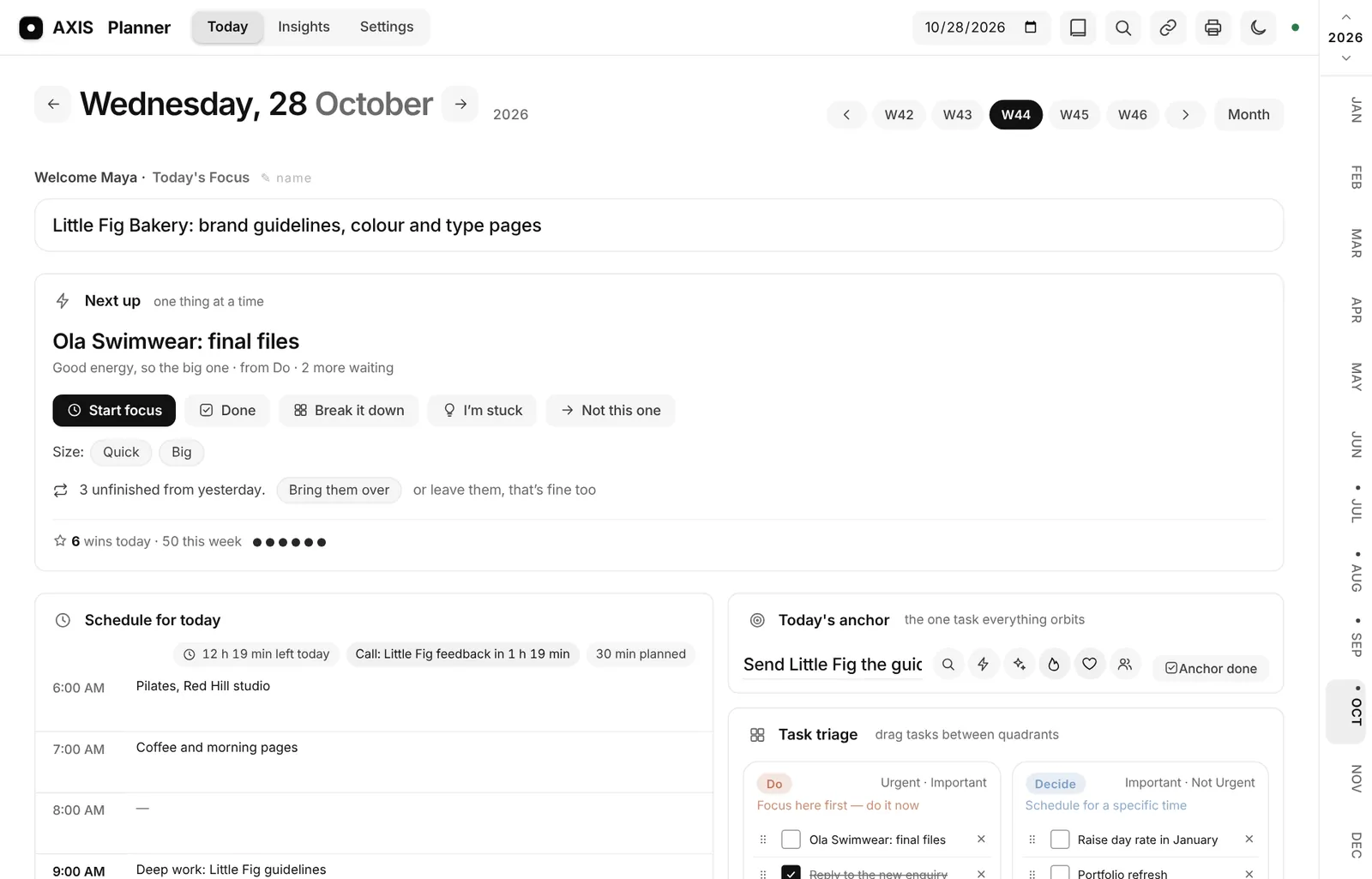
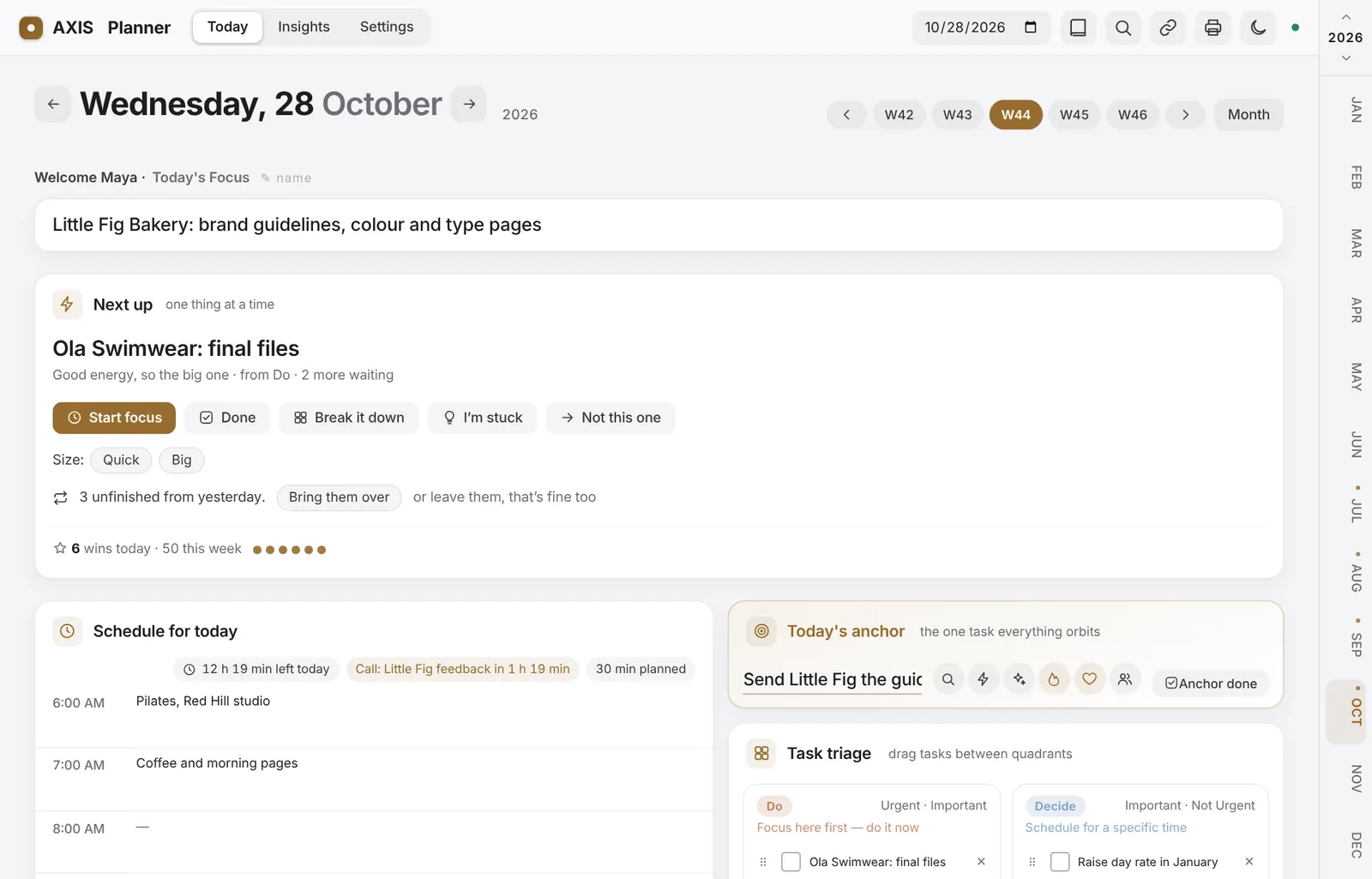
AXIS Planner on a computer: the day page with today's focus, Next up, the schedule, today's anchor and Task triageAXIS Planner on a computer: the day page with today's focus, Next up, the schedule, today's anchor and Task triage, light mode
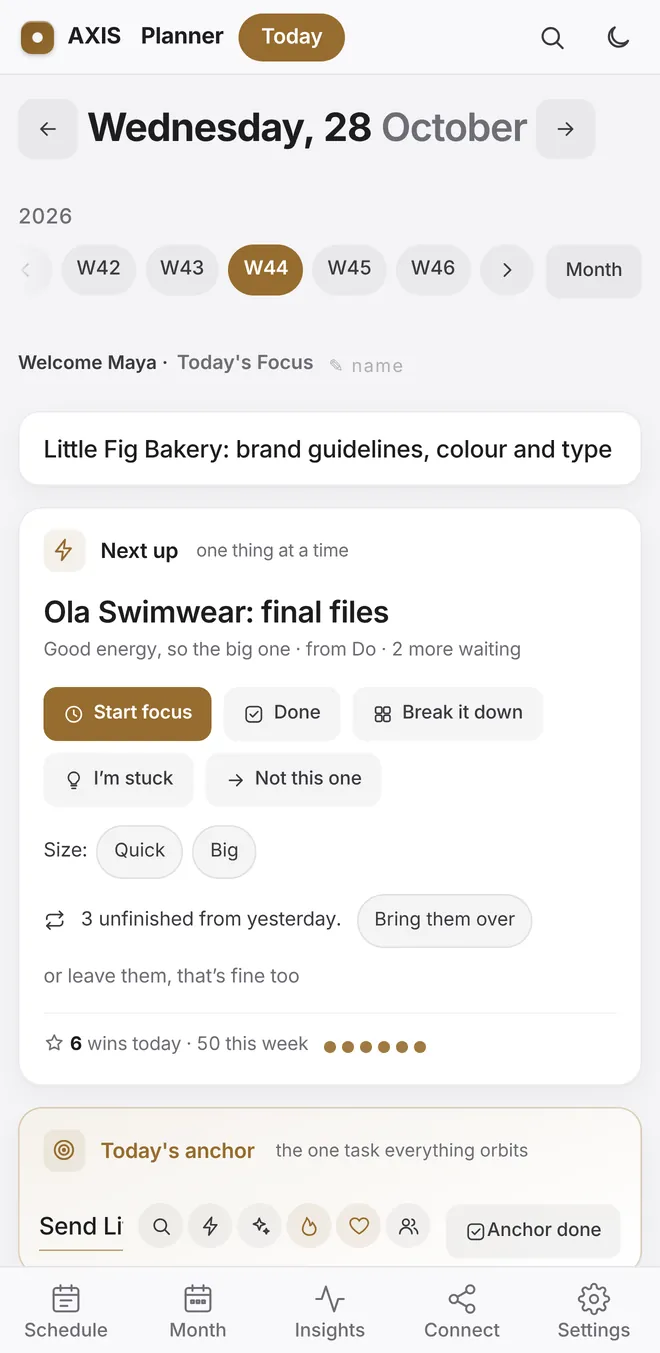
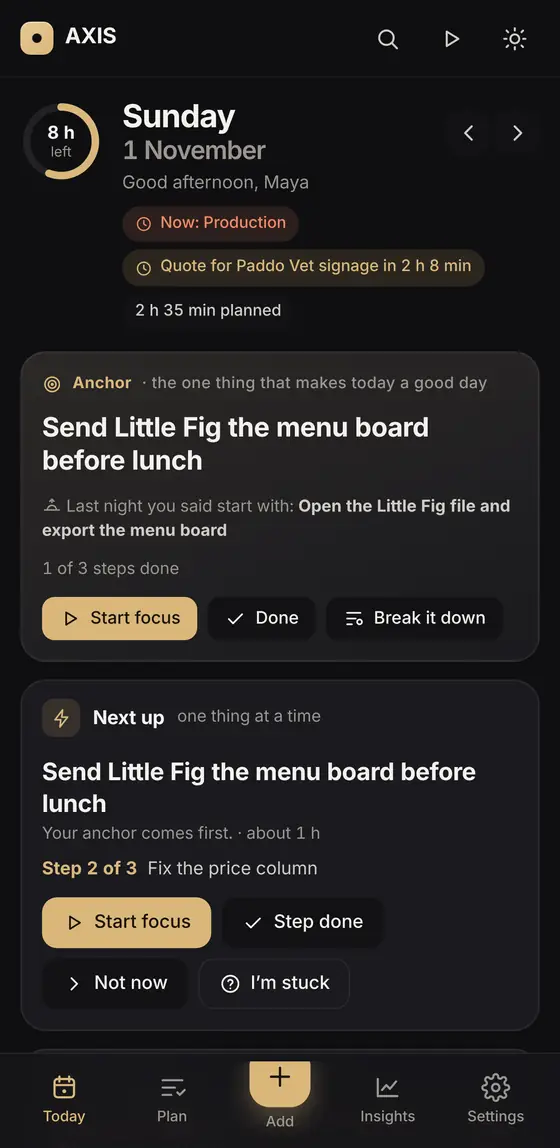
AXIS Planner on a phone: today's focus and Next up with Start focus, Done, Break it down and I'm stuckAXIS Planner on a phone: today's focus and Next up with Start focus, Done, Break it down and I'm stuck, light mode
See it in action

AXIS Planner, in 82 seconds.

Next up, I’m stuck and focus, today’s anchor, a brain dump sorted by the AI helper, customising the day page, the five looks and Insights.

A real session in the app with sample data · no sound · captions on screen

Why AXIS

Planners are built for brains
that already work that way.

Everywhere at once
Tasks in one app, meds in another, the rest in your head

AXIS puts your day in one place: triage, schedule, meds and meals, habits, journal and how you're feeling. Then it shows only the cards you use.

Starting
Knowing what to do isn't the same as starting it

Next up picks one task with your energy in mind. Break it into small steps, start the focus timer, or tell AXIS what's in the way and get one specific next move.

Patterns
"How have you been?" and your mind goes blank

AXIS tracks sleep, energy, meds and five ADHD symptom areas as you go, finds patterns in your own days, and makes a two-page report for your doctor.

AXIS doesn't ask you to try harder. It shows you where you are, then the next step.

Next up · Today's anchor

The whole day is there.
You only see the next step.

AXIS Planner keeps the full picture, but the top of your day page asks one question: what now?

01 · Next up

One task, picked with your energy in mind

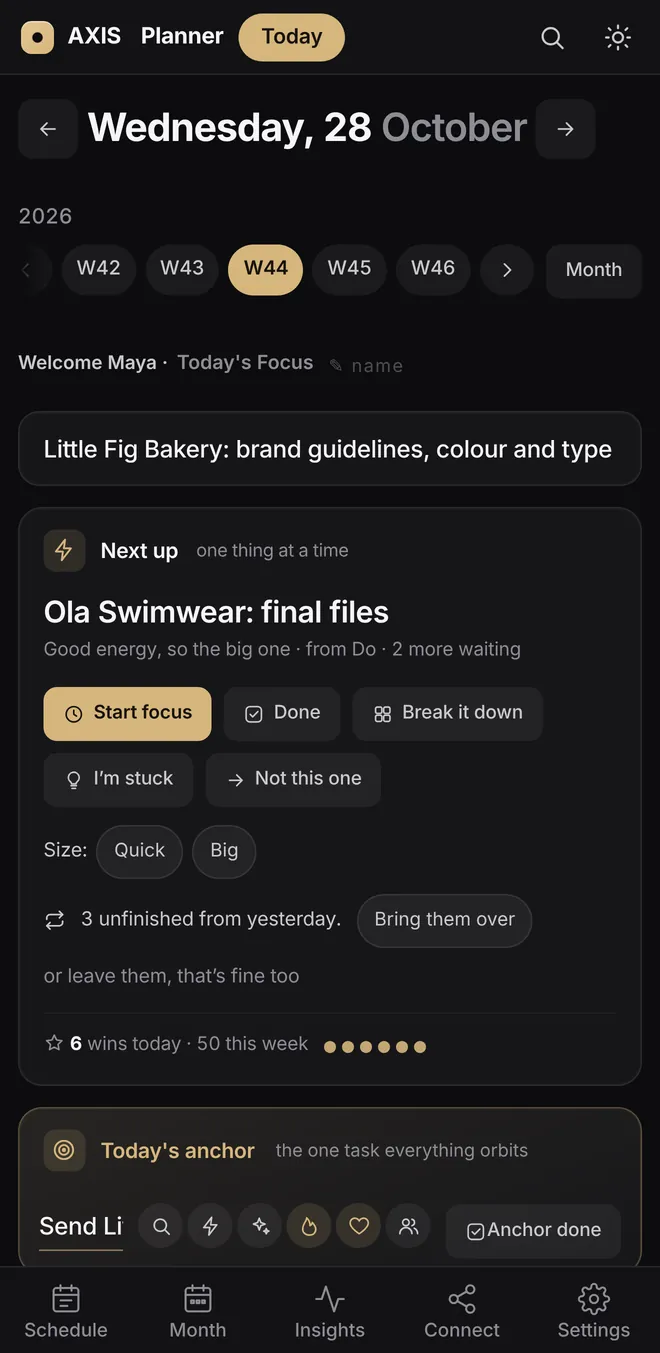
Next up reads your check-in and your Task triage, then shows one task and why it was picked. Good energy? The big one. Low energy? A quick one, or just its next small step.

  • Start focus, Done or Break it down right there
  • Not this one shows the next, with no penalty
  • Tag tasks Quick or Big so low-energy days get lighter picks
  • Unfinished from yesterday? Bring them over, or leave them. That's fine too
  • Every finished task adds to today's wins
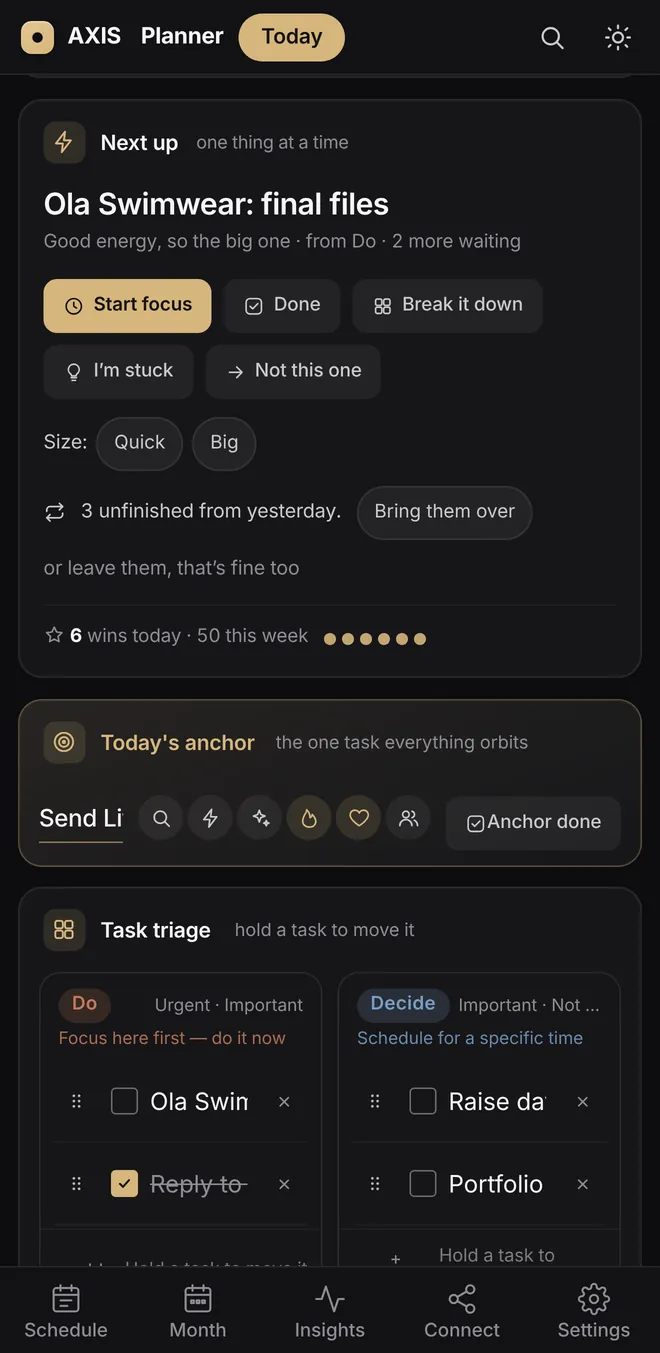
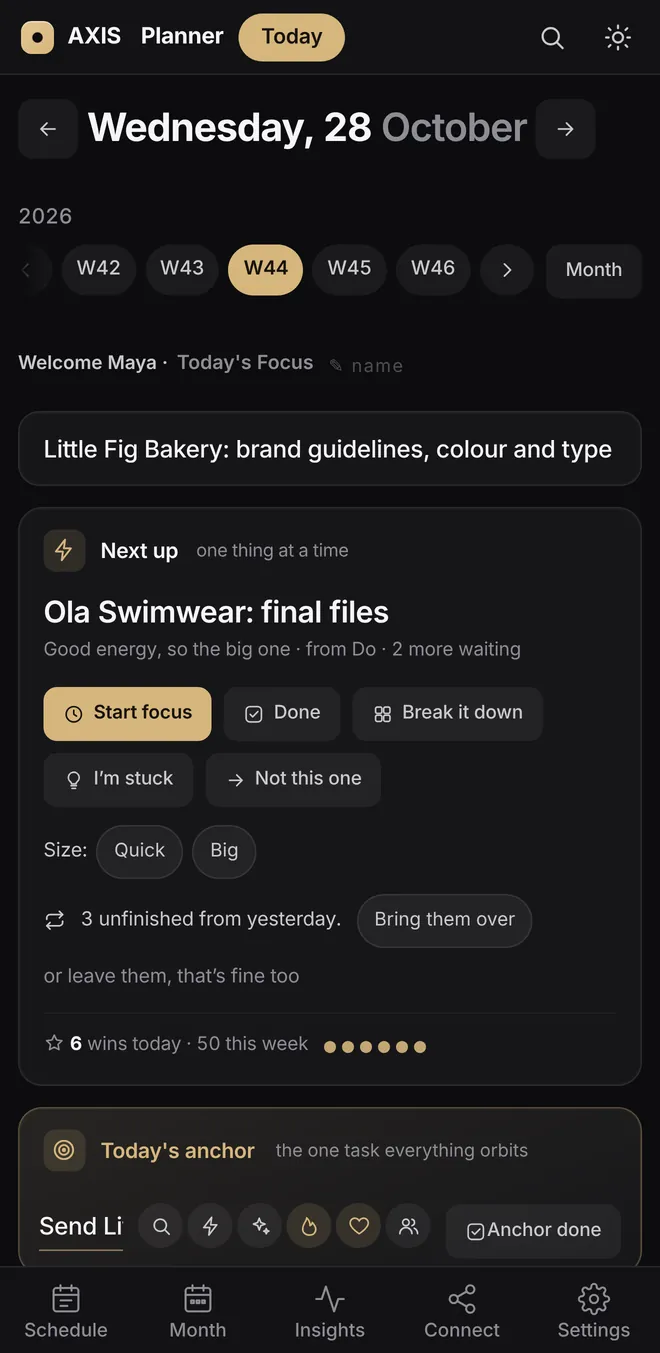
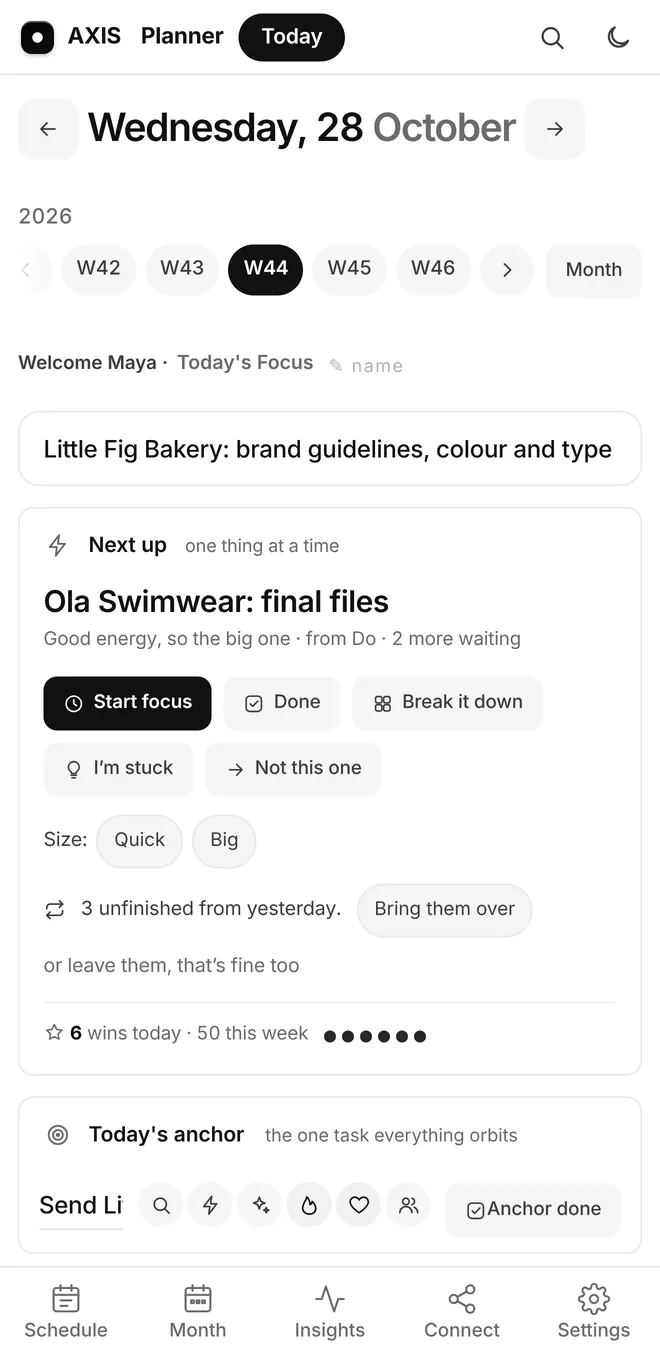
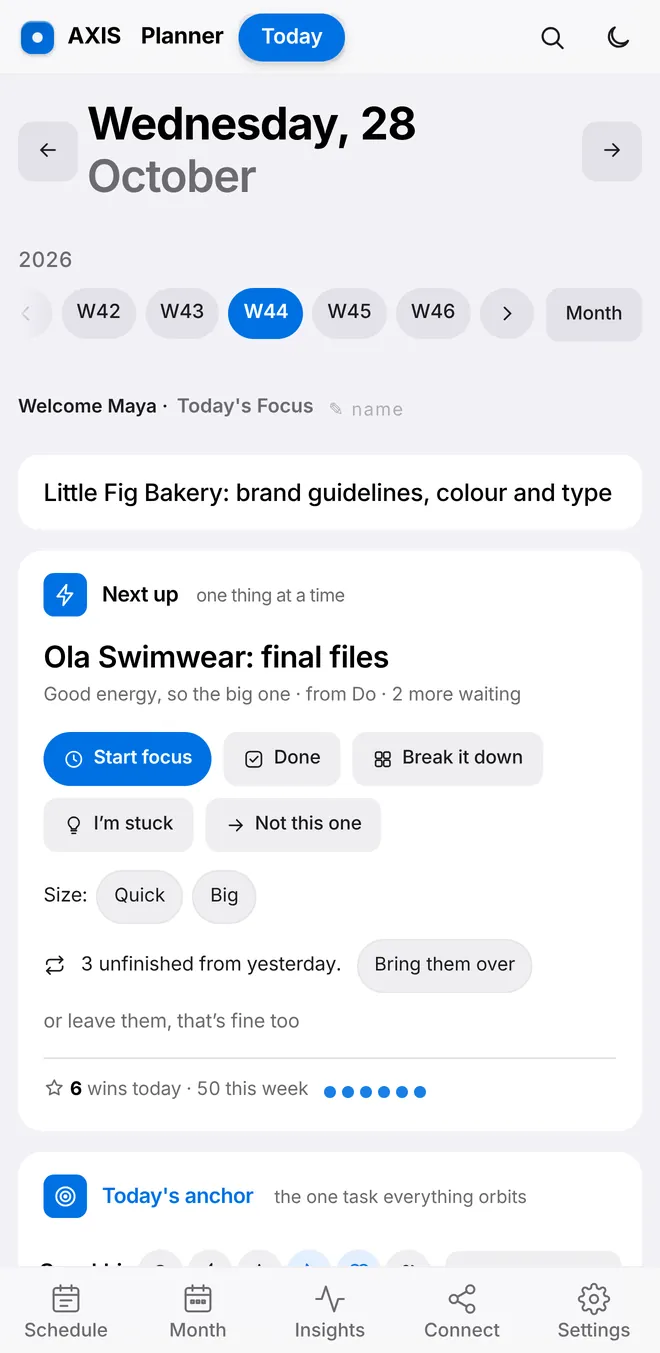
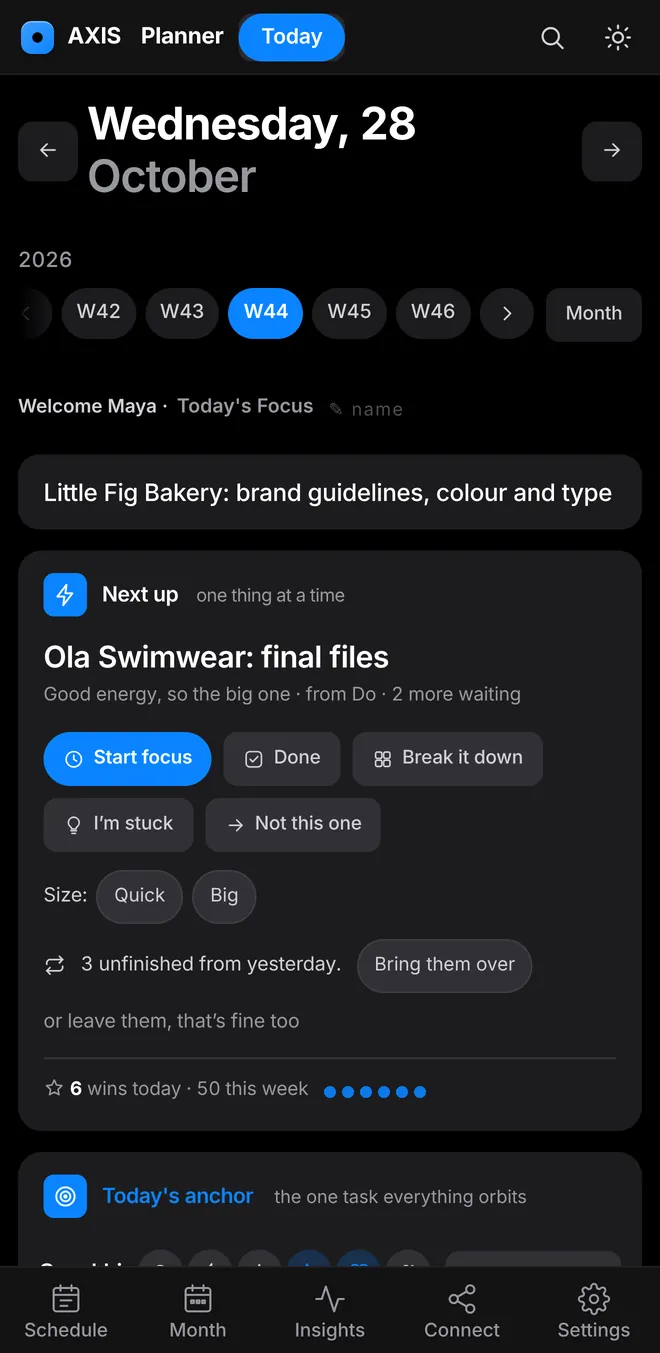
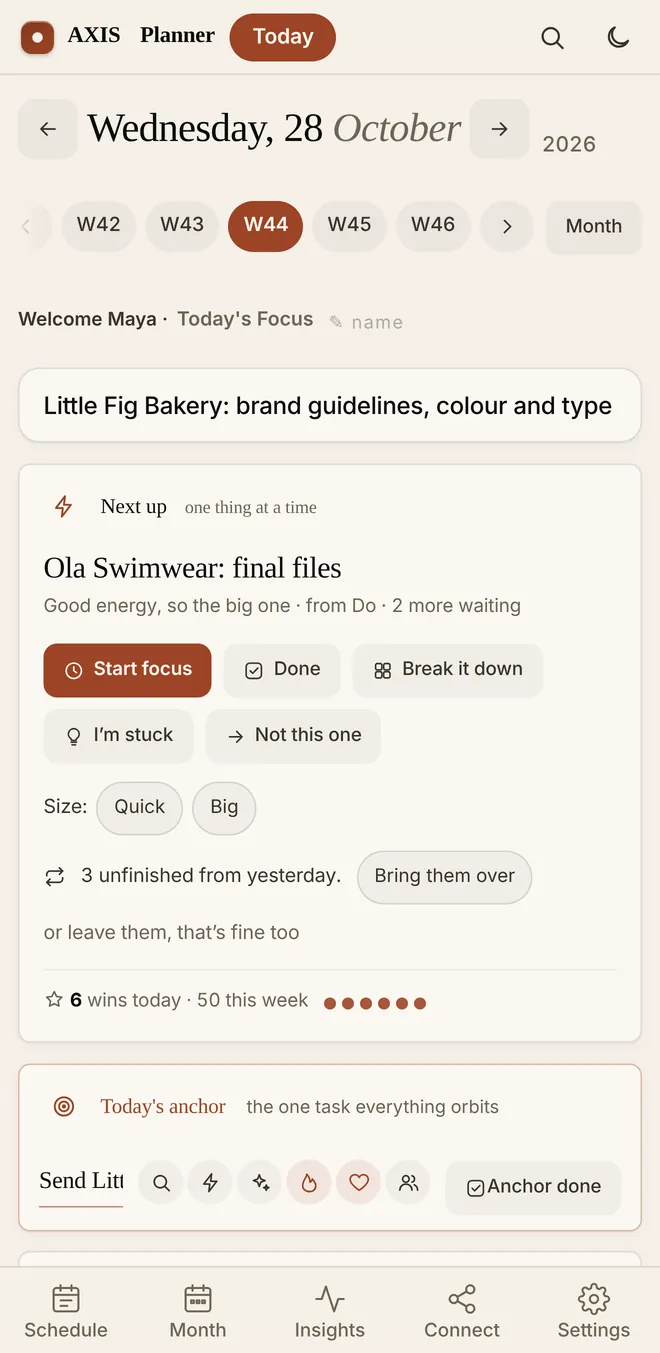
Next up on a phone: Ola Swimwear final files, good energy so the big one, with Start focus, Done, Break it down, I'm stuck and Not this one
02 · Today's anchor

The one task everything orbits

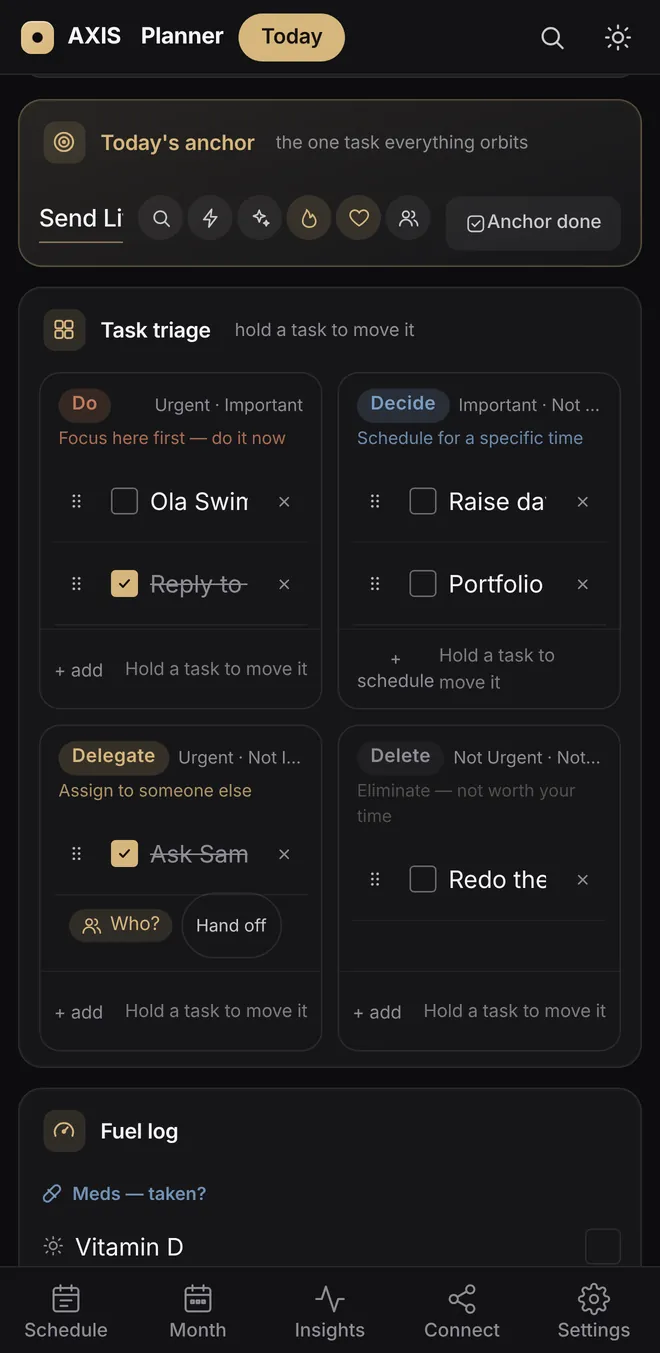
Name the one thing that would make today a good day. Then tag why it matters to you, because an ADHD brain runs on interest, not importance.

Today's anchor close up: Send Little Fig the guidelines before lunch, tagged Urgency and Passion, with Anchor done
🔍 Interest⚡ Challenge✨ Novelty🔥 Urgency❤️ Passion🤝 Accountability
  • Sits beside your schedule, so the day is planned around it
  • Tick Anchor done and it counts as the day's big win
  • Plan a week of anchors on the week page, one for each day
ADHD tip: pick the anchor the night before. Morning you only has to start it.
Today's anchor on a phone: Send Little Fig the guidelines, with the six motivation tags and Anchor done, above Task triage
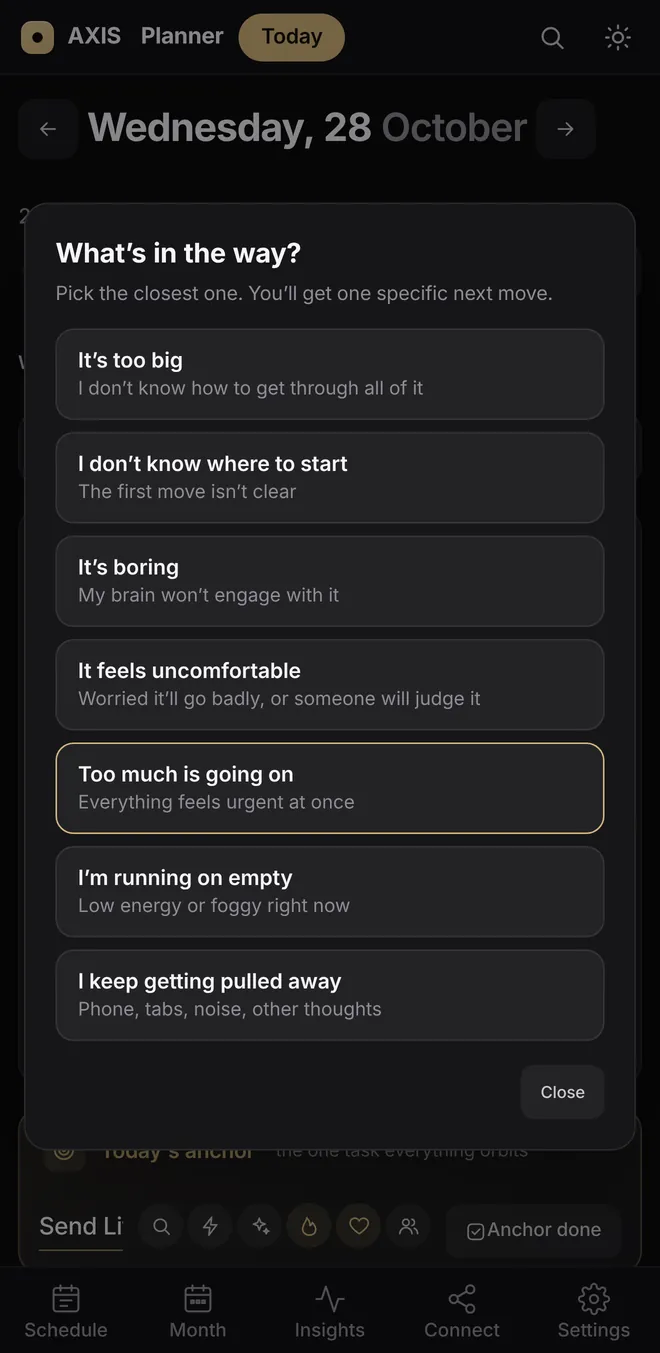
I'm stuck: it's too big, I don't know where to start, it's boring, it feels uncomfortable, too much is going on, I'm running on empty, I keep getting pulled away
I'm stuckPick what's in the way. Each answer leads to one specific next move.
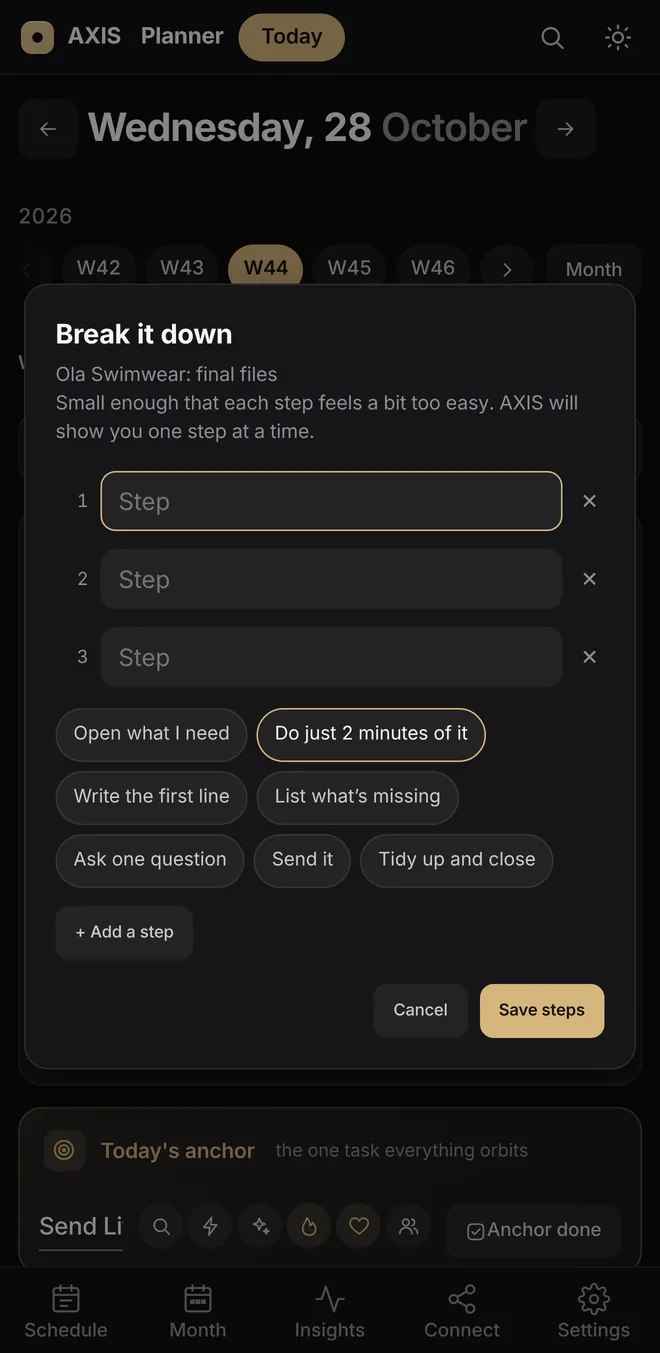
Break it down: steps for Ola Swimwear final files, with starters like Open what I need and Do just 2 minutes of it
Break it downSteps small enough to feel a bit too easy. AXIS shows one at a time.
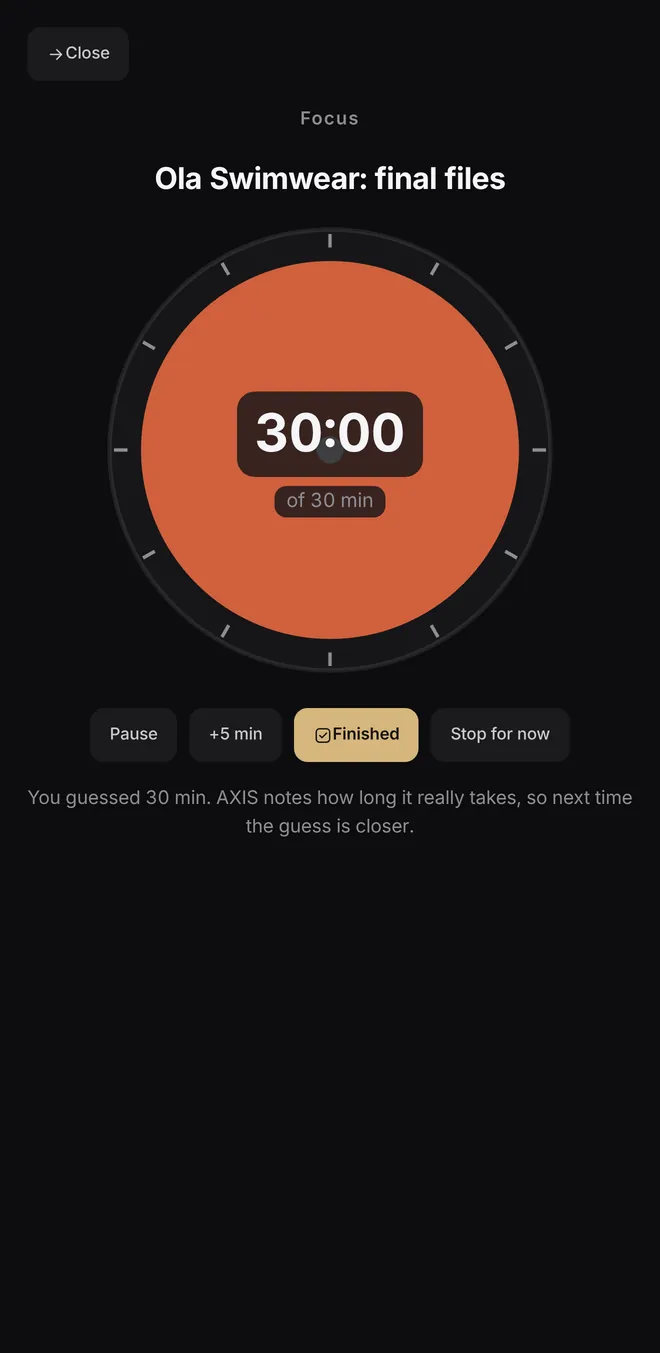
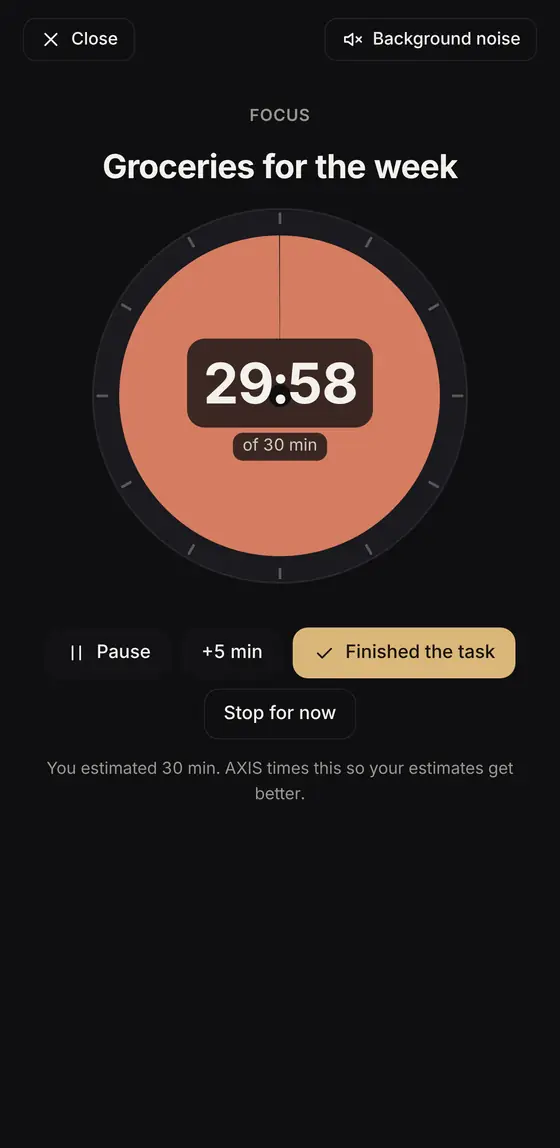
The focus timer: a coral disc showing 30:00 of 30 minutes, with Pause, plus 5 minutes, Finished and Stop for now
Focus you can seeA disc that shrinks as time runs out. AXIS times it, so your guesses get better.
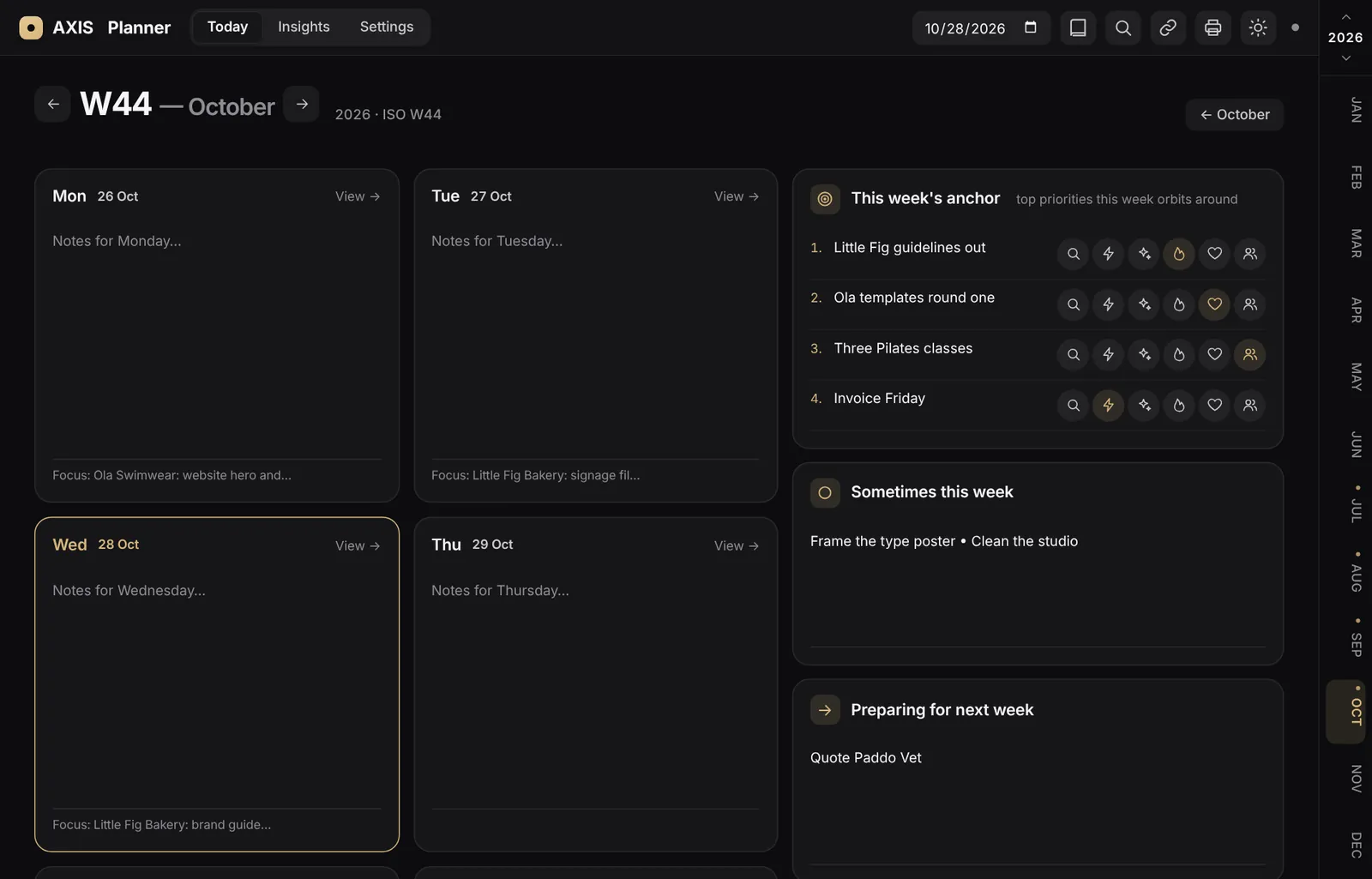
The week page: each day's notes and focus, This week's anchor with four priorities and their motivation tags, and preparing for next week
The week page: a week of anchors, each tagged with why it matters
Brain dump · Optional AI helper

Empty your head.
AXIS sorts it.

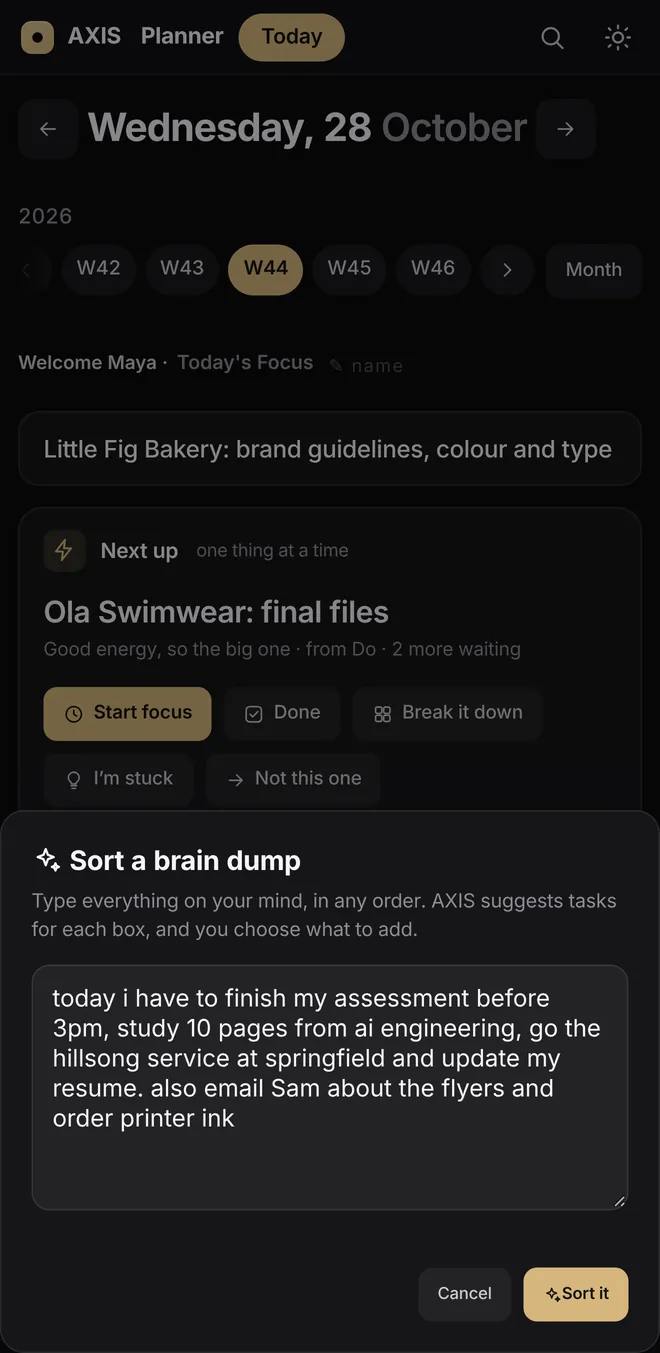
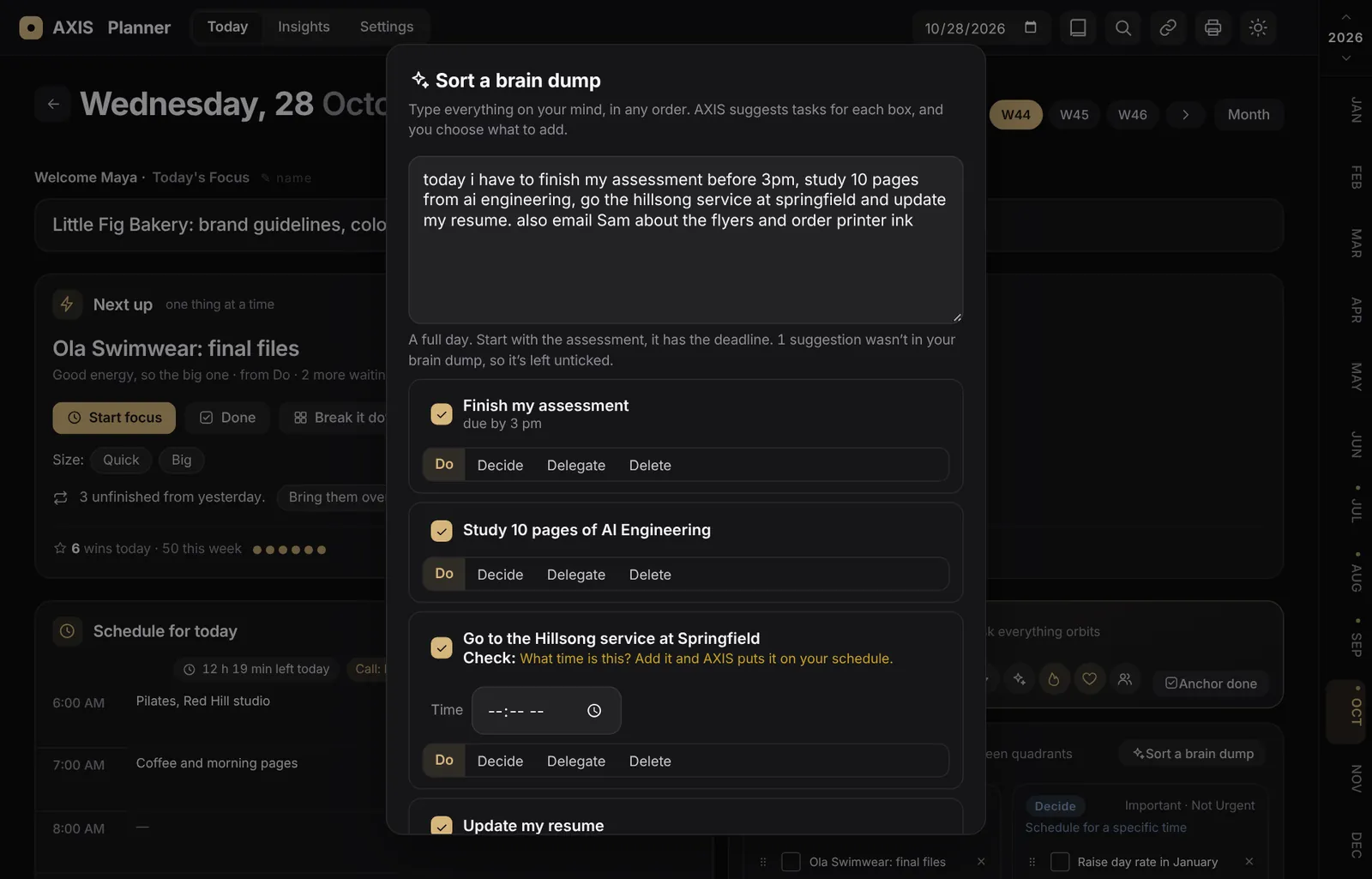
Tap Sort a brain dump on Task triage and type everything on your mind, the way you'd say it. The AI helper suggests a box for each task, puts timed things on your schedule, and you choose what to add.
1
Sort a brain dump: a messy paragraph about the day typed in, with a Sort it button
Write it all downAny order, typos and all. "before 3pm" and "hillsong service" are fine.
2
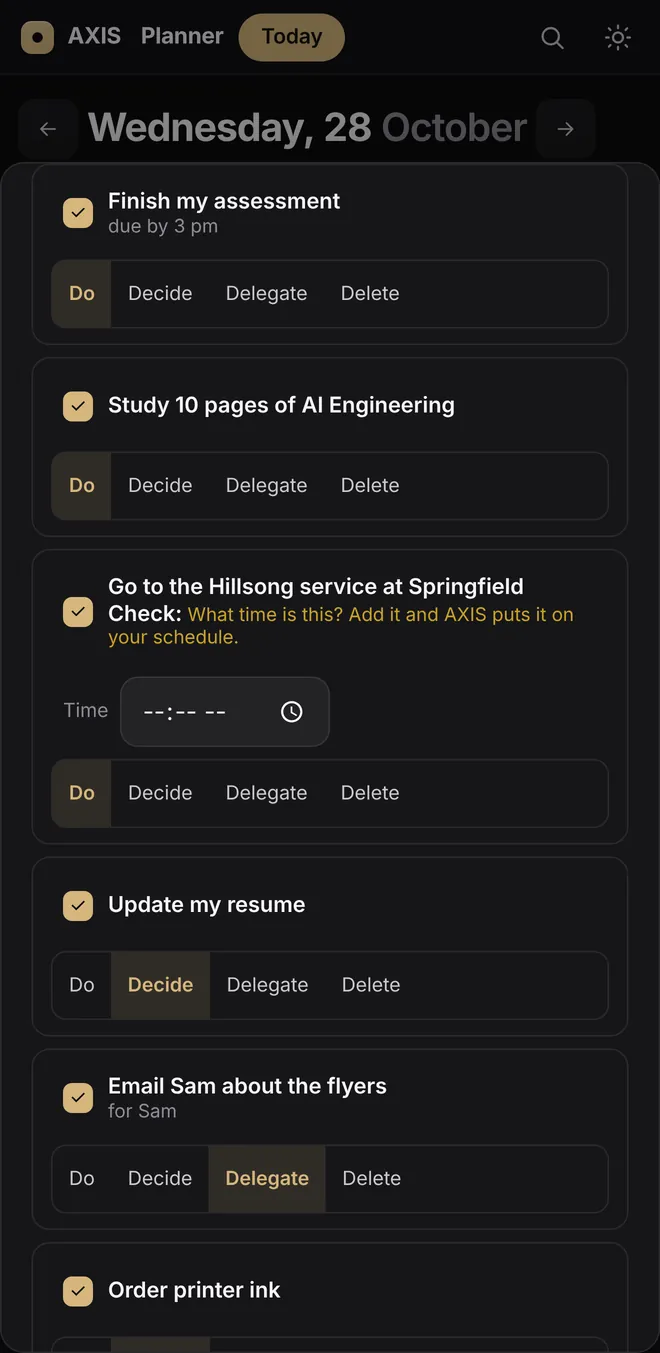
The brain dump sorted: Finish my assessment due by 3 pm in Do, Update my resume in Decide, Email Sam in Delegate
It sorts itDo, Decide, Delegate or Delete, with deadlines you wrote. Change any box with a tap.
3
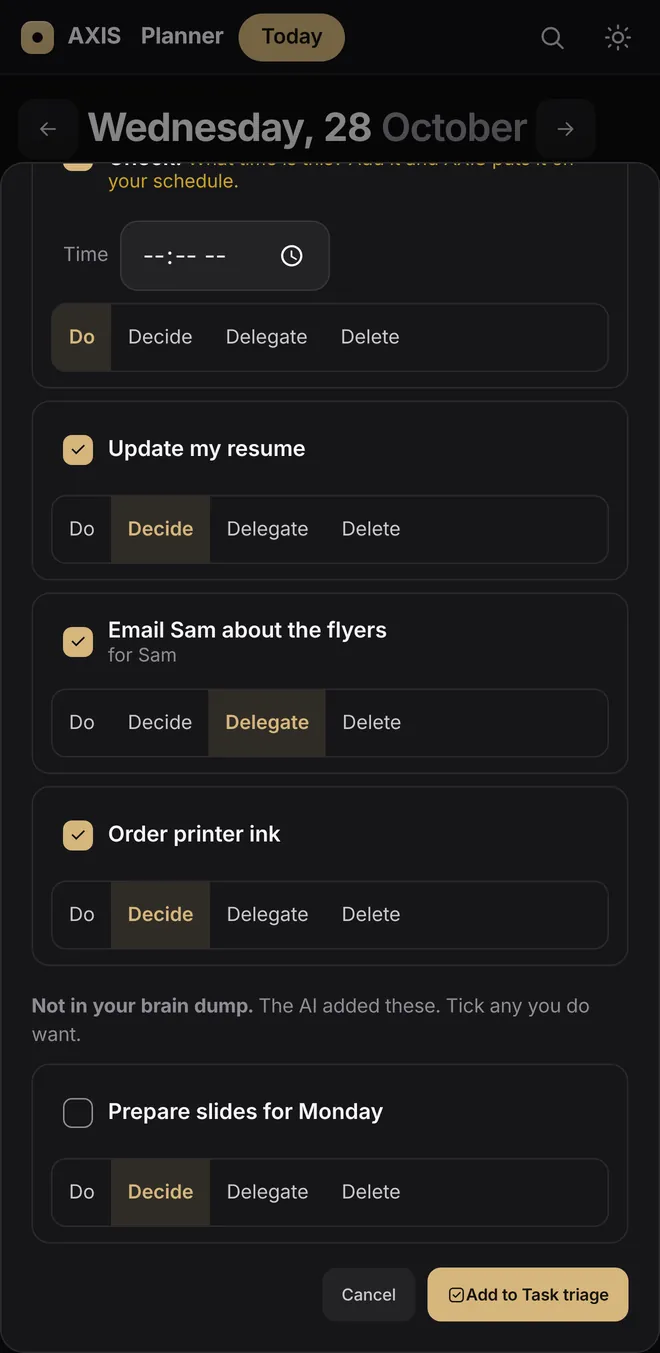
A time to check for the Hillsong service, and Prepare slides for Monday left unticked under Not in your brain dump
Only what you saidNo time given? AXIS asks. Anything the AI added on its own is left unticked under "Not in your brain dump".
4
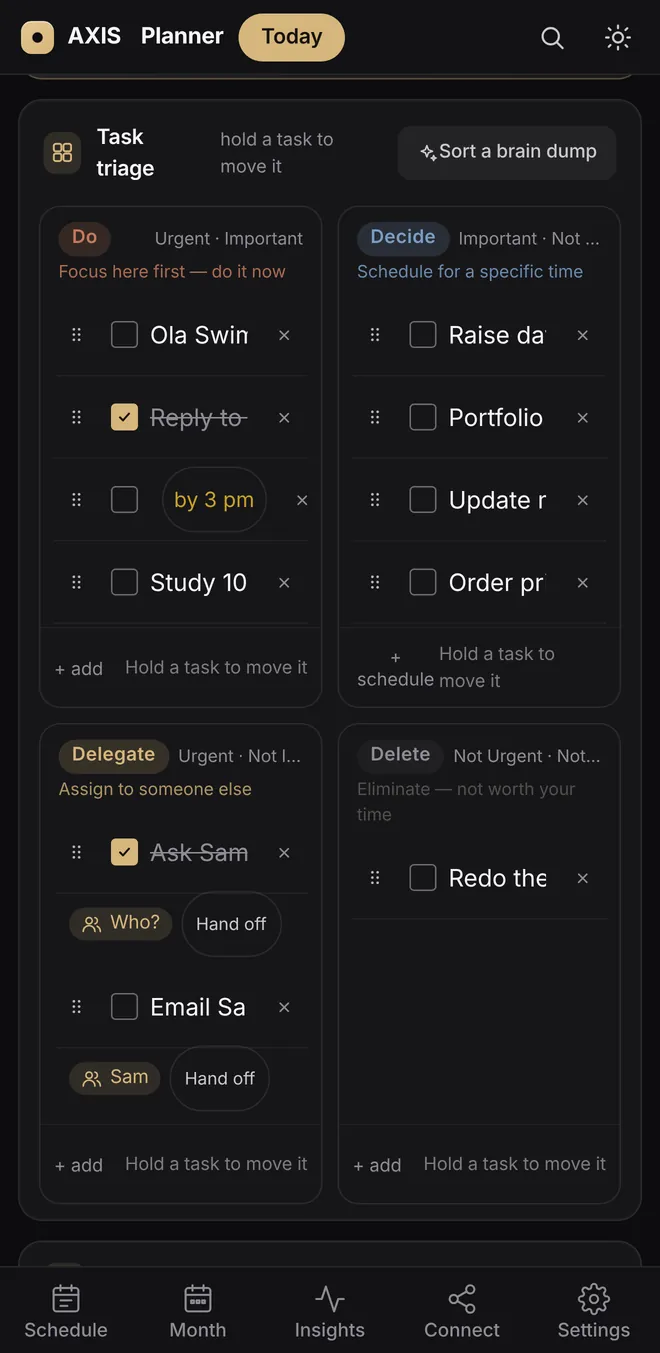
Task triage after adding: the assessment with due by 3 pm, Study 10 pages and Update my resume in their boxes, Email Sam handed to Sam
Straight onto your dayTasks land in Task triage with "due by" tags. Events with a time go on your schedule.
Your AI, your choice

AXIS has no AI of its own. It never sees your words.

The AI helper is off until you turn it on, and you pick where your words go:

  • The AI built into Chrome on a computer: free, private, and it works offline.
  • Your own AI account (Claude, ChatGPT or Gemini), with a key that stays on your device. A brain dump costs a fraction of a cent.
  • Copy and paste with any AI app you already use, on any device.

It also suggests steps when you break a task down, and drafts the message when you hand a task to someone. Every answer is checked against what you actually wrote before you see it.
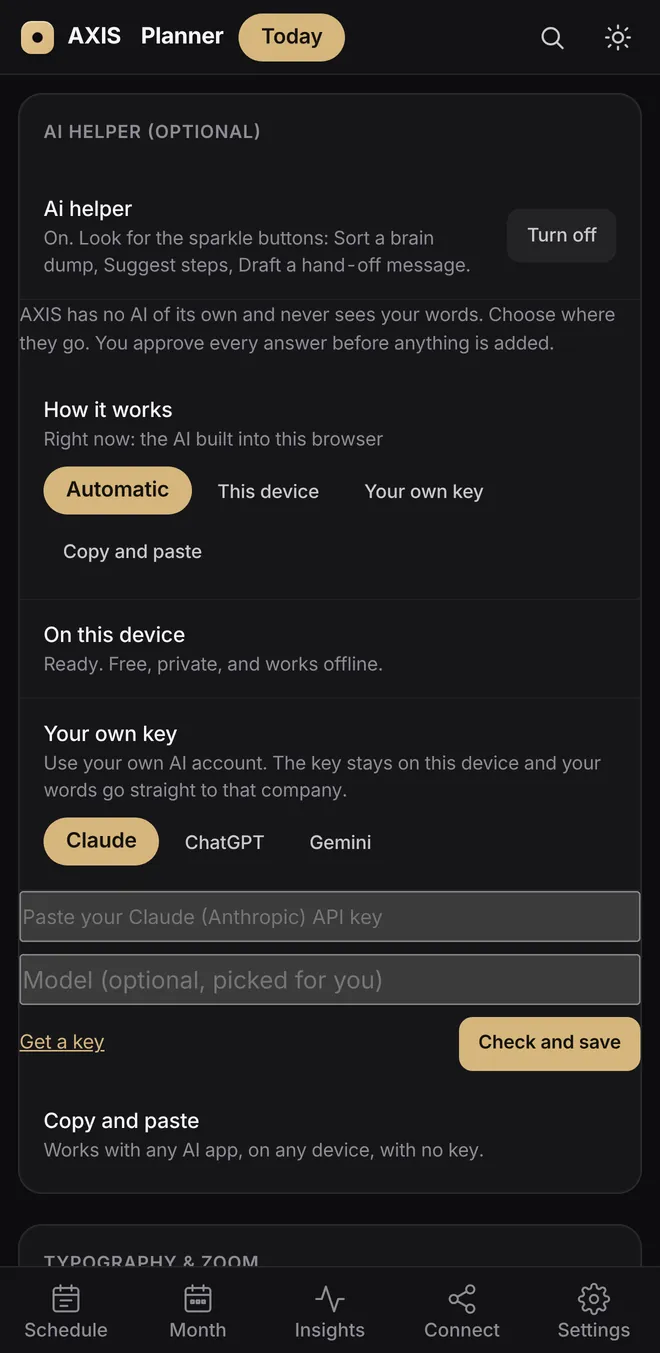
Settings, AI helper: how it works (Automatic, This device, Your own key, Copy and paste) and your own key for Claude, ChatGPT or Gemini
Sort a brain dump on a computer: the AI's note, then each task with its box, a deadline and a time to check
On a computer: the same sort, beside your day
Sync with your own cloud

Phone, tablet, computer.
One planner, in your cloud.

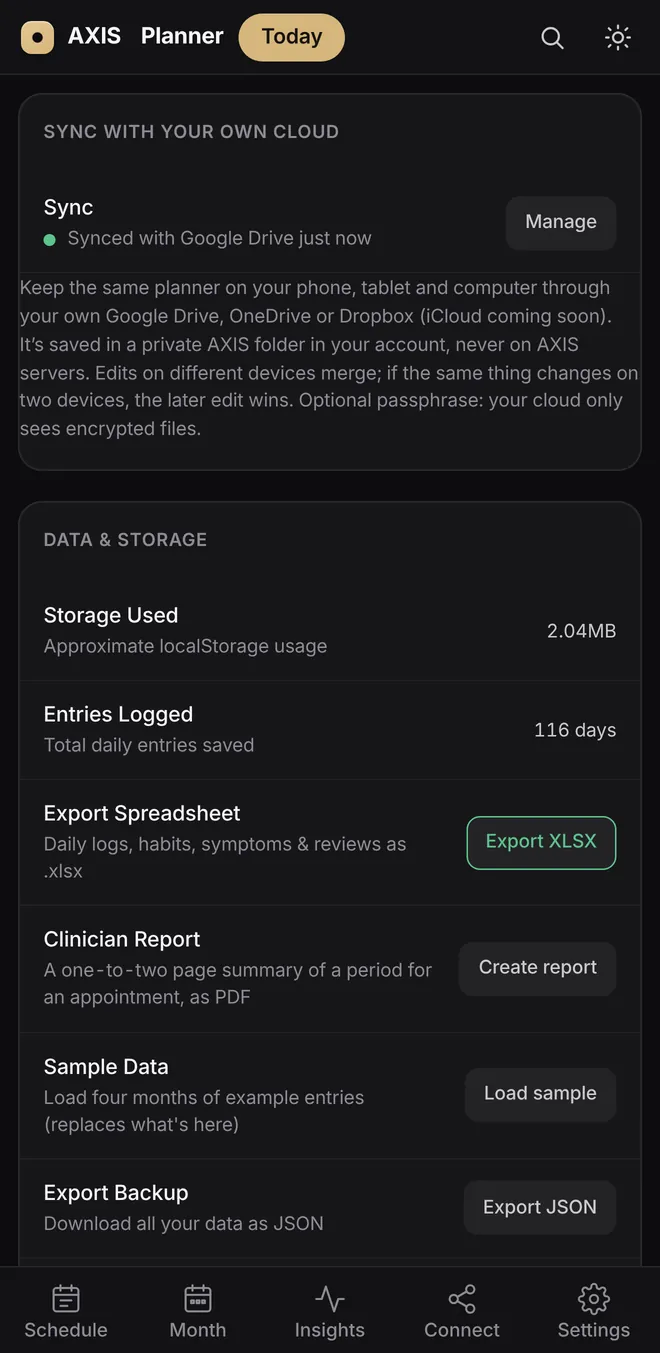
Connect your own Google Drive, OneDrive or Dropbox once, and every device stays in step. Your planner lives in a private AXIS folder in your account. It never touches our servers.

How it works

Connect once. Then forget about it.

  • Every change saves on your device first, so AXIS works fully offline.
  • It syncs in the background when you open it, while it's open, and when you're back online.
  • Each task, schedule hour and habit tick syncs on its own, so edits on two devices both survive. Same thing on both? The later edit wins.
  • Phones can clear website data. Connect again and everything comes back.
  • Want it extra private? Lock it with a passphrase and even your cloud only sees scrambled data.
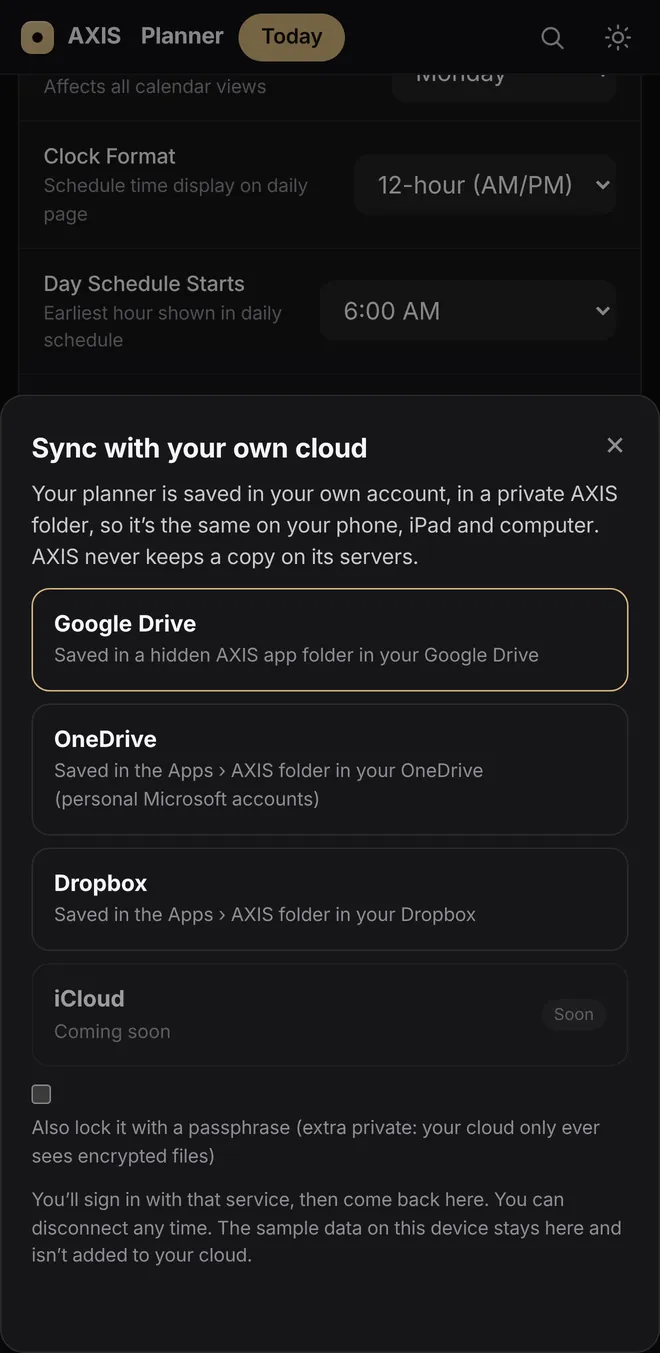
Sync with your own cloud: choose Google Drive, OneDrive or Dropbox, with iCloud coming soon
Settings: synced with Google Drive just now, with Manage
Everything in AXIS Planner

The whole picture.
Only when you want it.

Every feature has an ADHD reason to exist. Hide the ones you don't need; they keep their data.

Task triage

Do, Decide, Delegate, Delete. Drag between boxes, keep Do short, and hand tasks off with a ready-made message.

Schedule for today

Your hours with a now line, time left in the day, and what's coming up next.

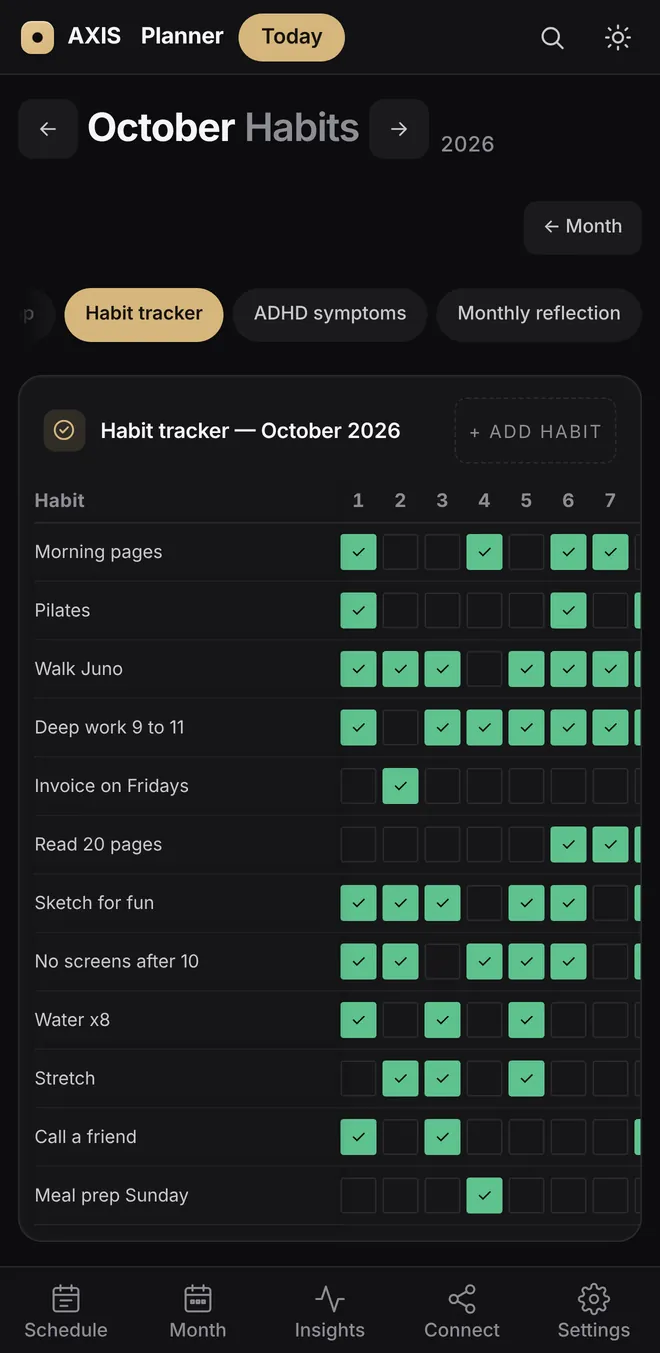
Habit tracker

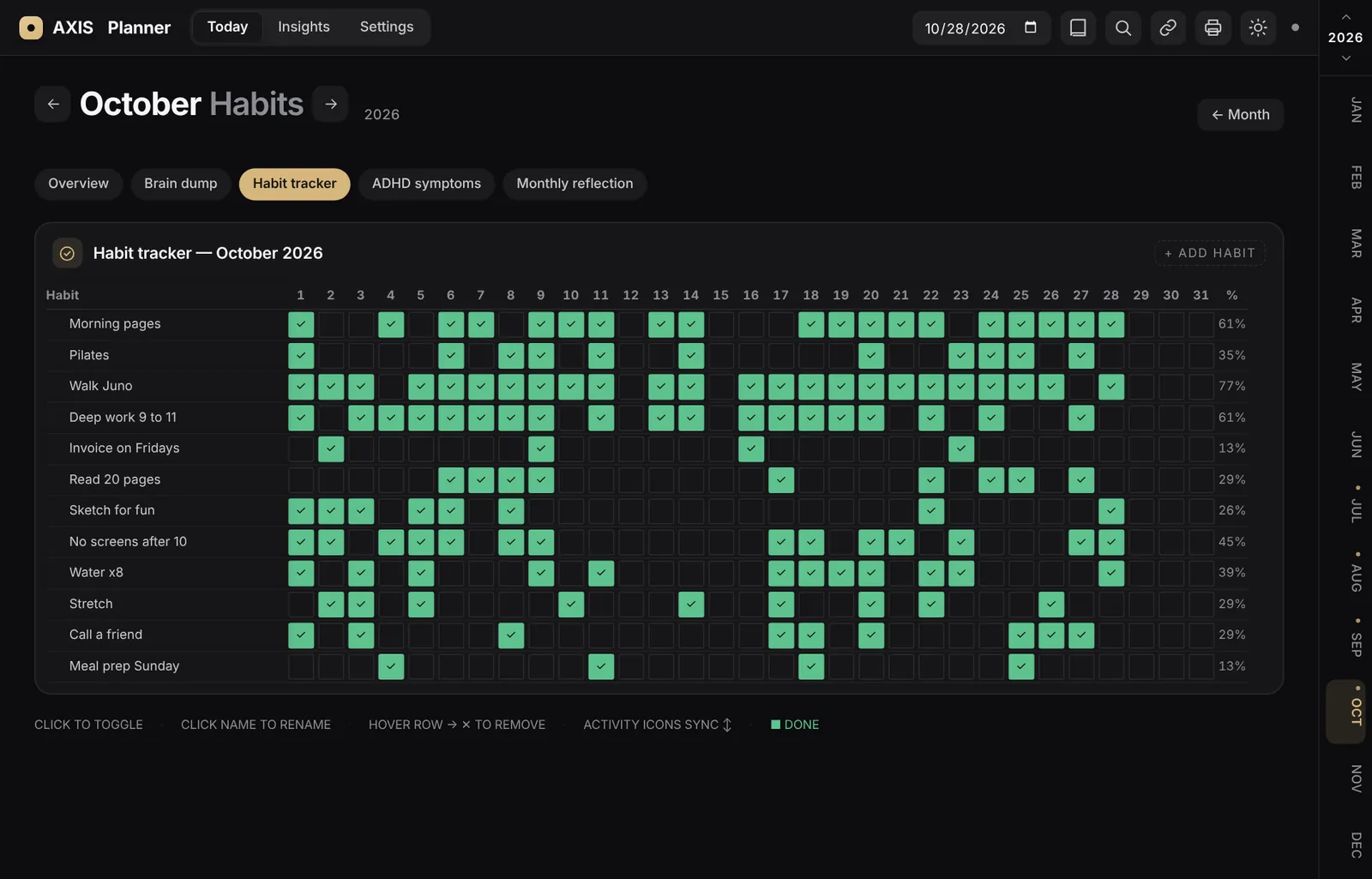
Your own habits on a month grid. One tap to tick, with streaks and percentages.

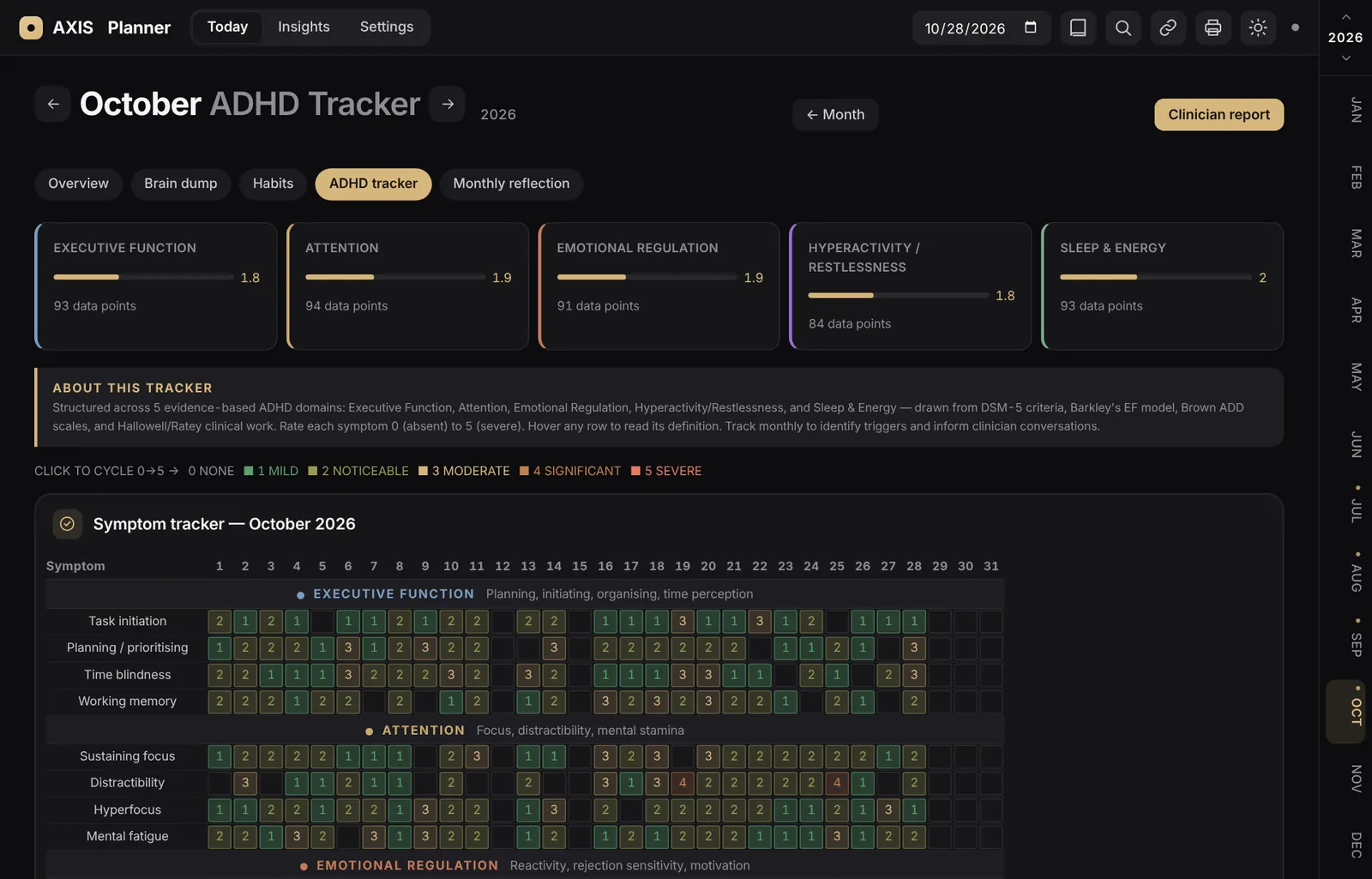
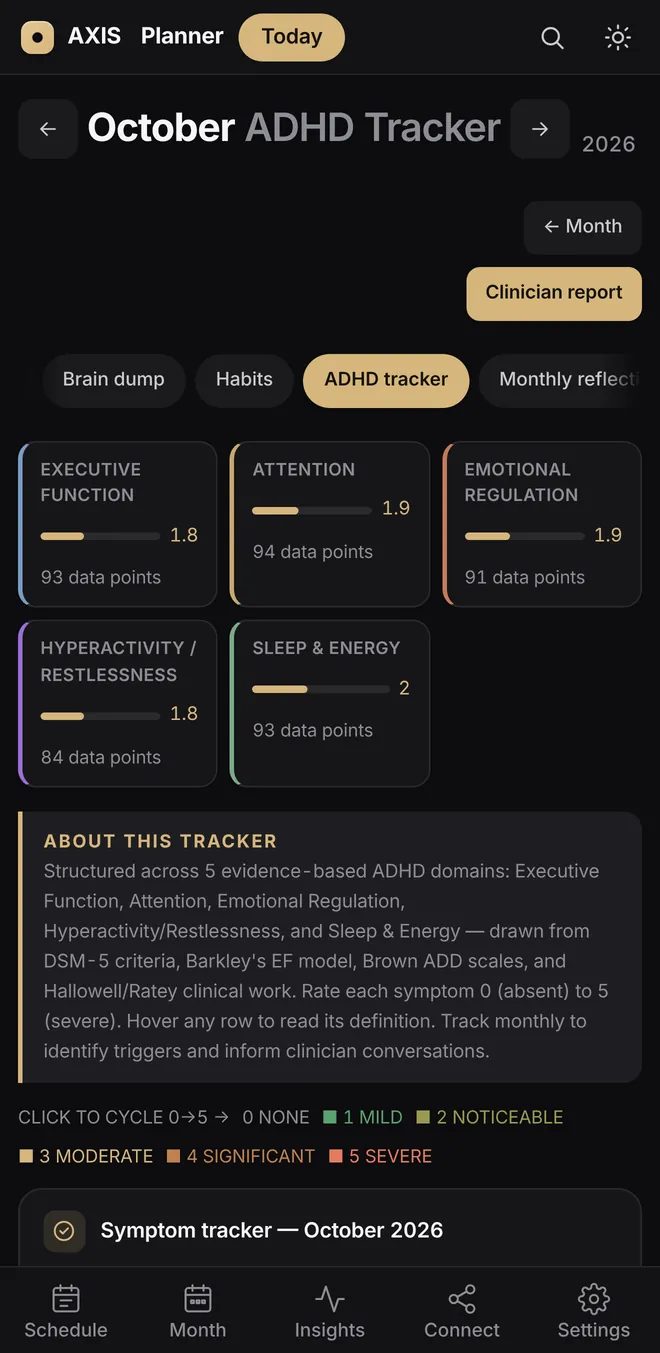
ADHD symptom tracker

Five areas (executive function, attention, emotional regulation, restlessness, sleep and energy), rated 0 to 5.

Fuel log

Meds taken, meals, water, sleep and executive function, side by side, in a few taps.

Journal and brain dump

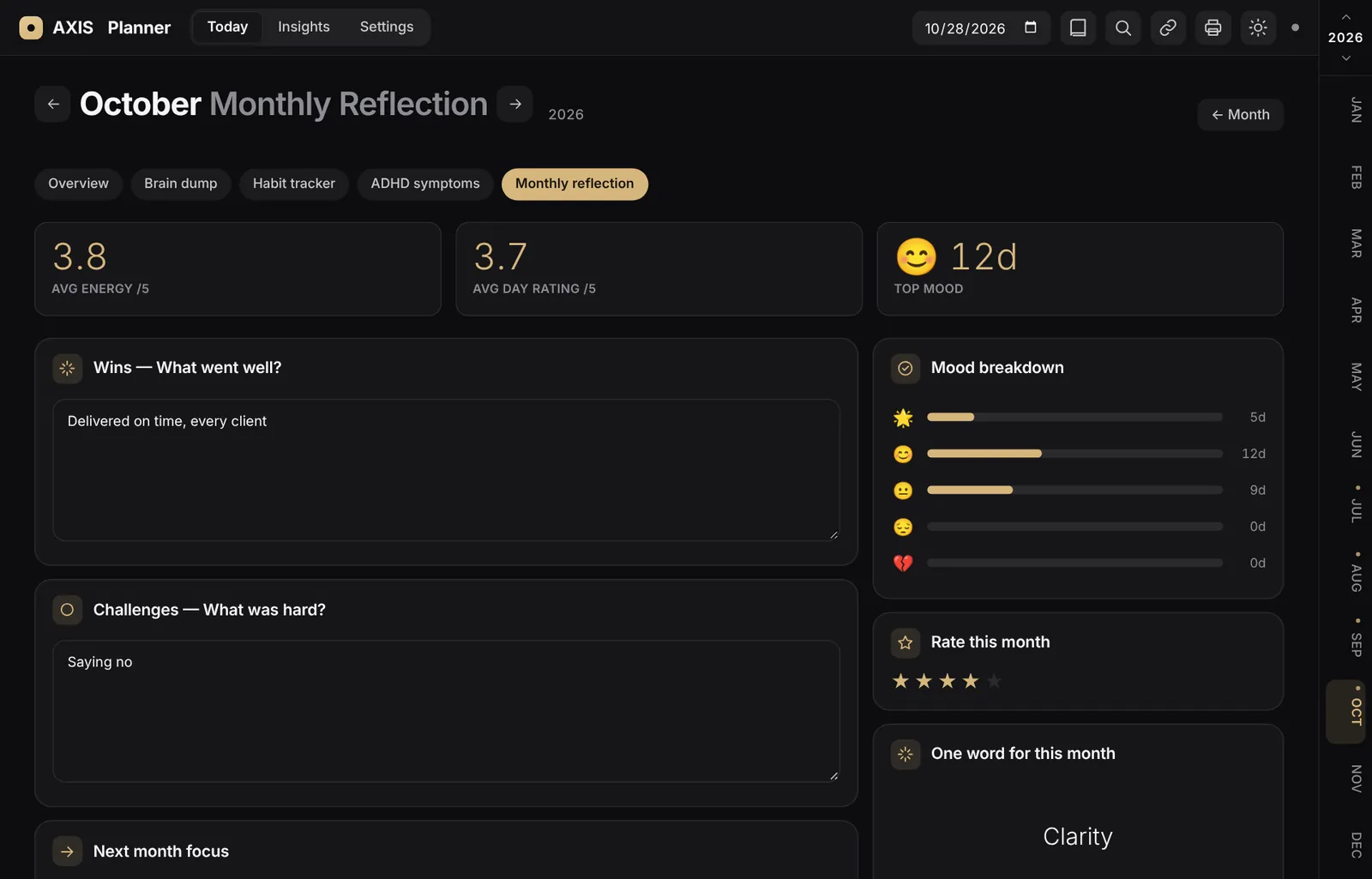
A daily brain space, gratitude and a monthly reflection: wins, challenges, one word for the month.

Week, month and year

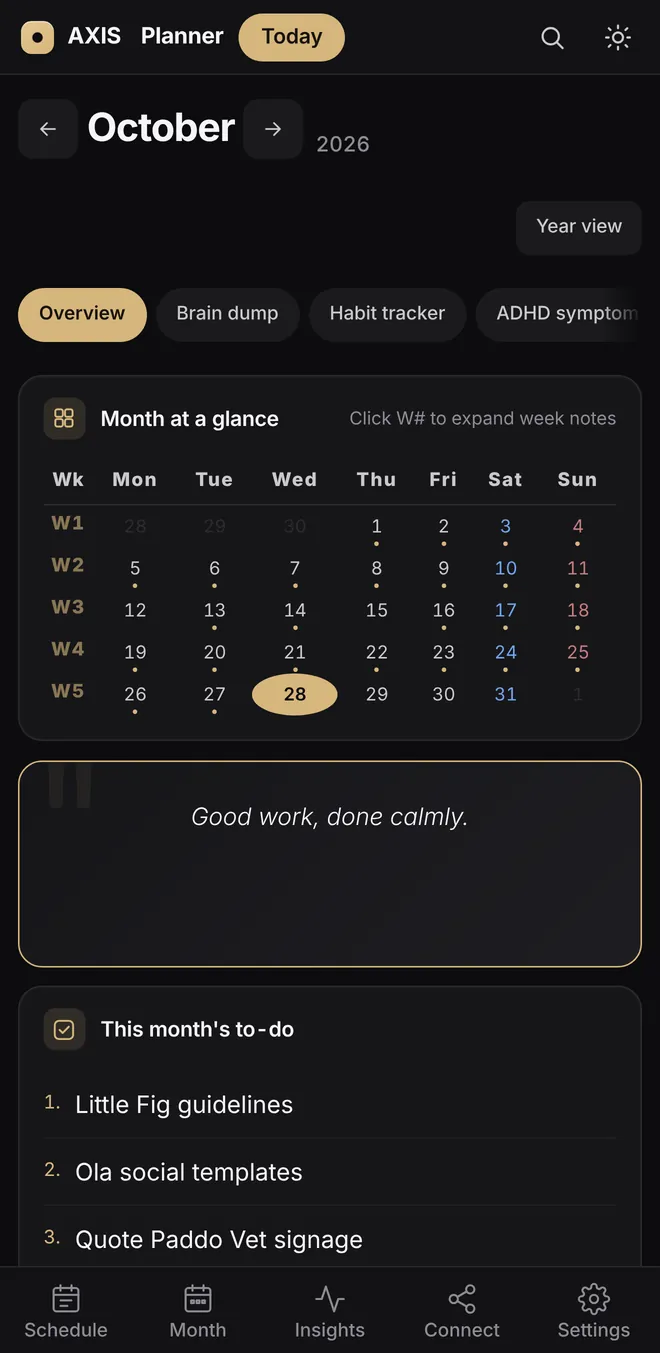
A week of anchors, a month at a glance and the whole year, so you can see where time went.

Insights

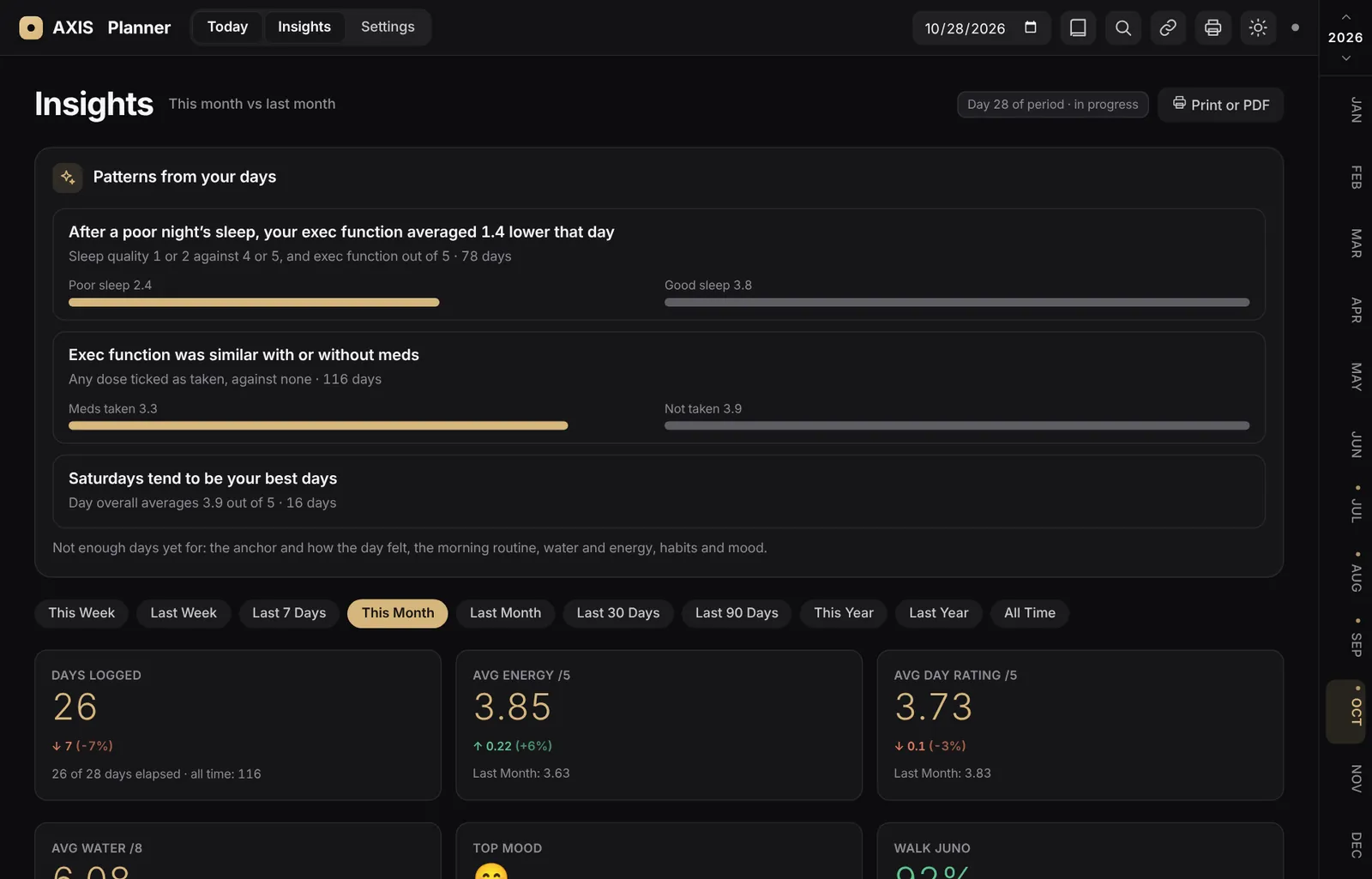
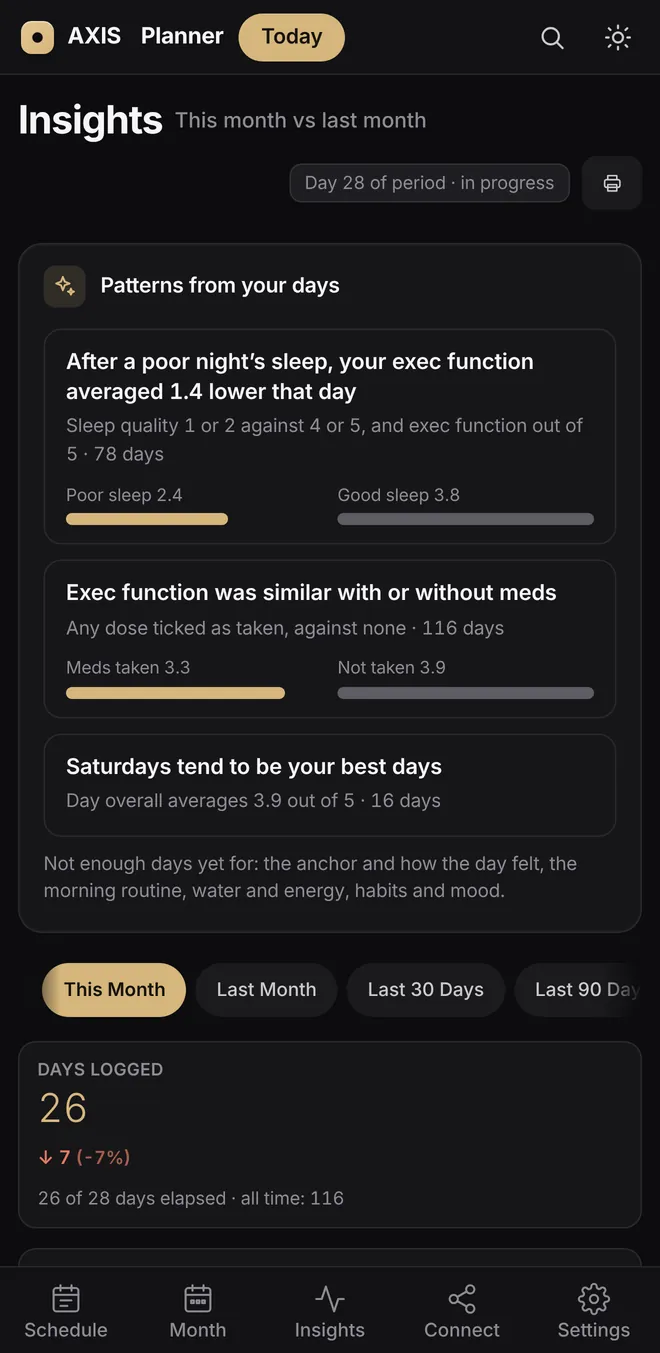
Patterns from your own days, like how sleep and meds line up with your focus, shown only when there's enough data.

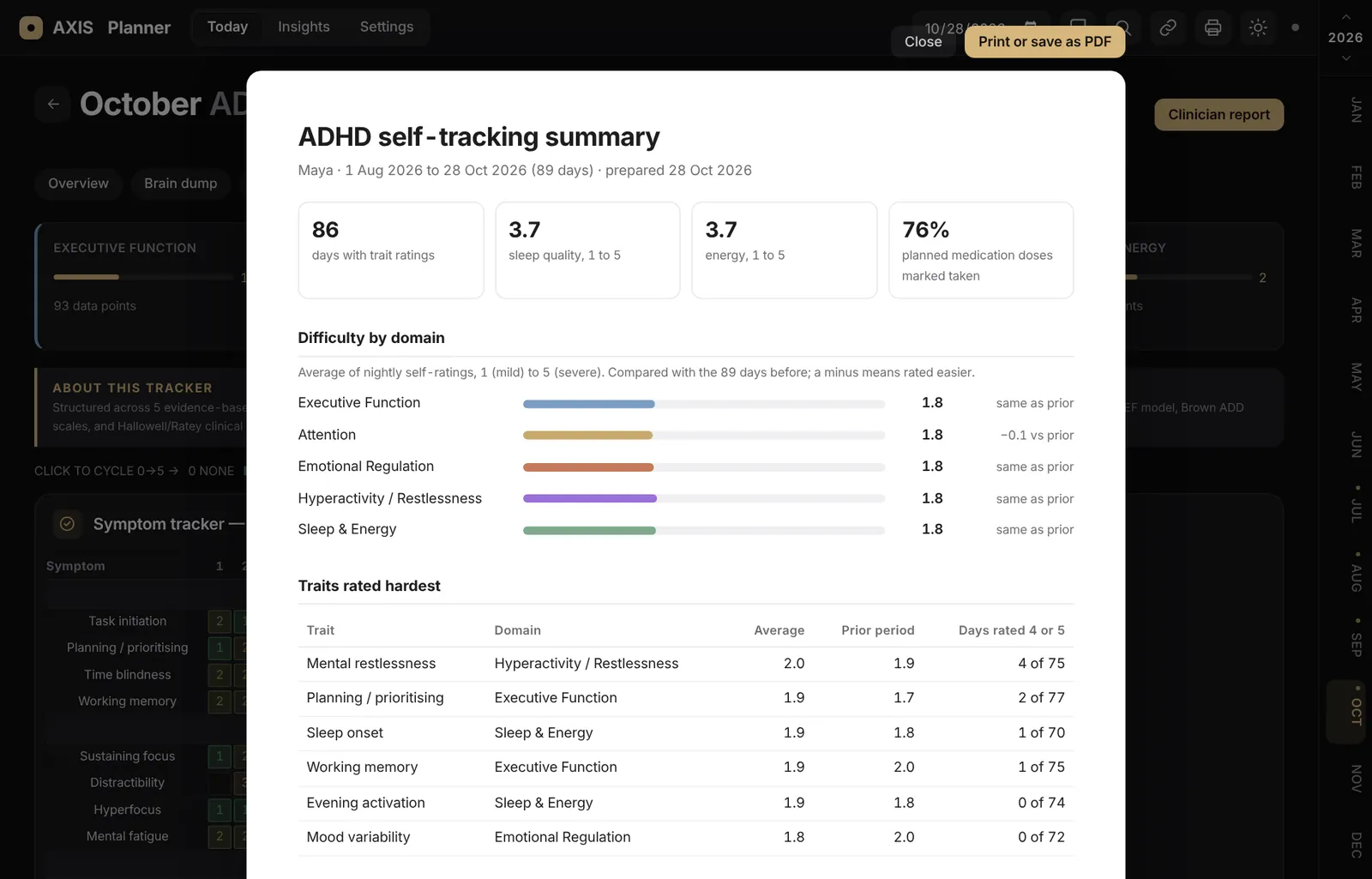
Clinician report

A two-page summary of any period for your GP, psychiatrist or psychologist. Print it or save it as a PDF.

Reminders in your calendar

Your routines and medication go into your own calendar app, so they ring even when AXIS is closed.

Export and backup

An Excel workbook of your days, habits and symptoms, a full backup file, and printable pages.

Optional AI helper

Sort a brain dump, break a task into steps, draft a hand-off. With your own AI, checked against what you wrote.

Make it yours

Keep what helps.
Hide what doesn't.

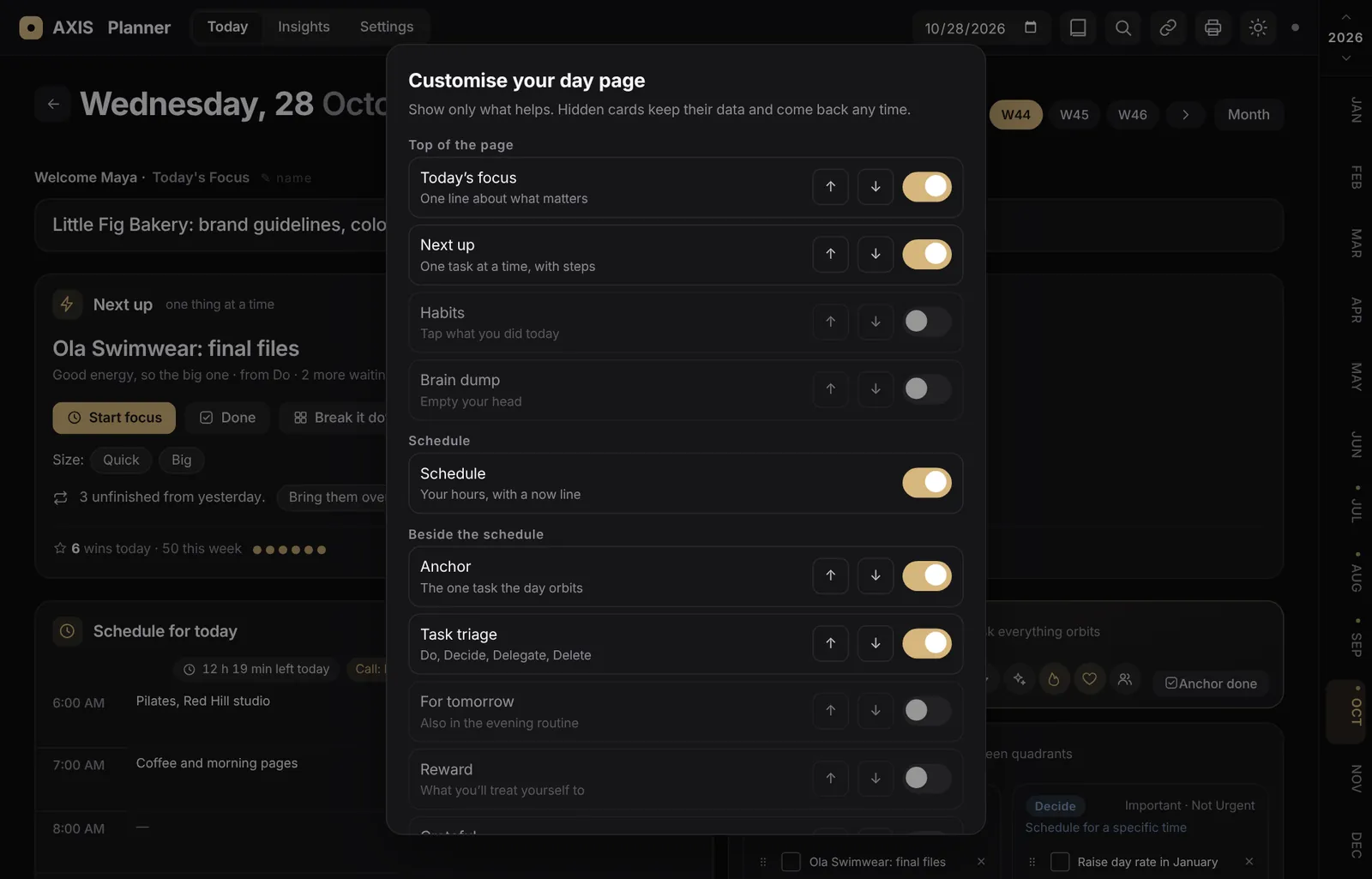
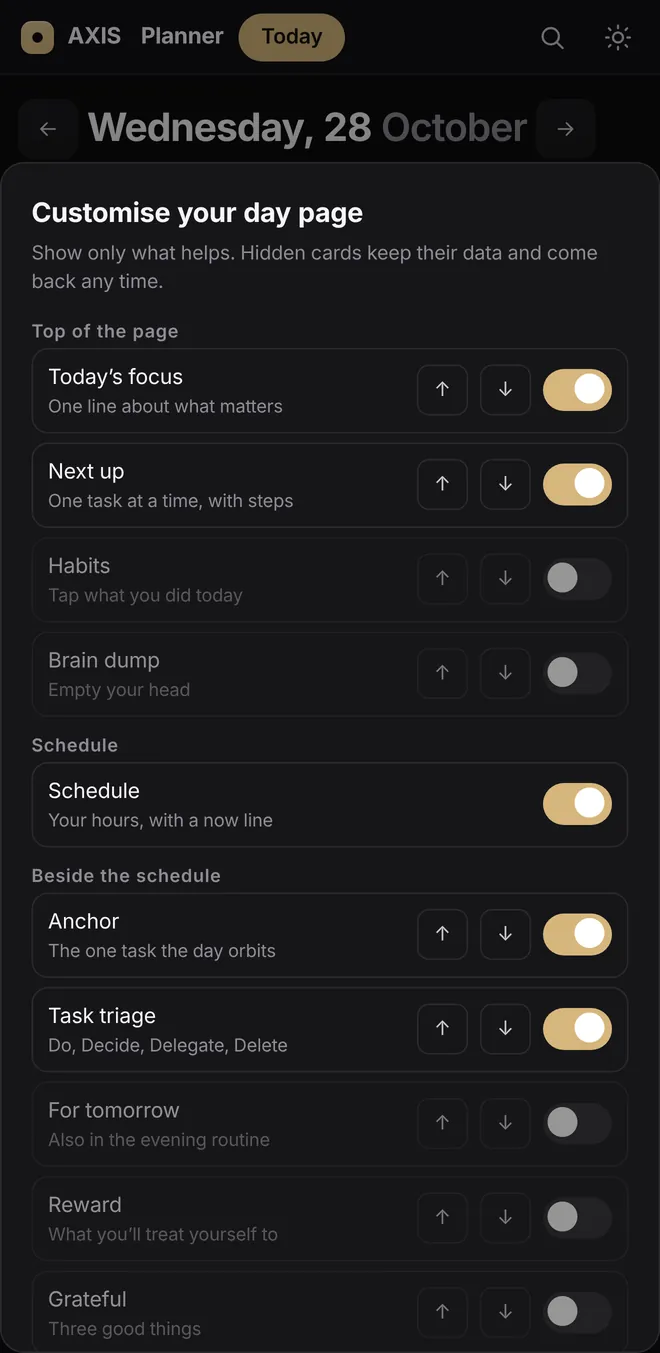
Tap Customise on your day page. Switch cards on and off, move them up and down, and bring them back any time. Hidden cards keep their data.

Customise your day page on a computer: Today's focus, Next up, Habits, Brain dump, Schedule, Anchor, Task triage, each with up, down and an on or off switch
Customise your day page on a phone: cards grouped as top of the page, schedule and beside the schedule, each with a switch
Simple or everythingStart with the essentials (focus, Next up, schedule, anchor, triage, meds) or show every card: habits, meals, gratitude, reward, tomorrow, journal.
It noticesHaven't touched a card in a month? AXIS offers to hide it, so your day page stays short.
Nothing is lostTurn a card off and its data stays. Turn it back on and it's all there.

Five looks. Any colour.

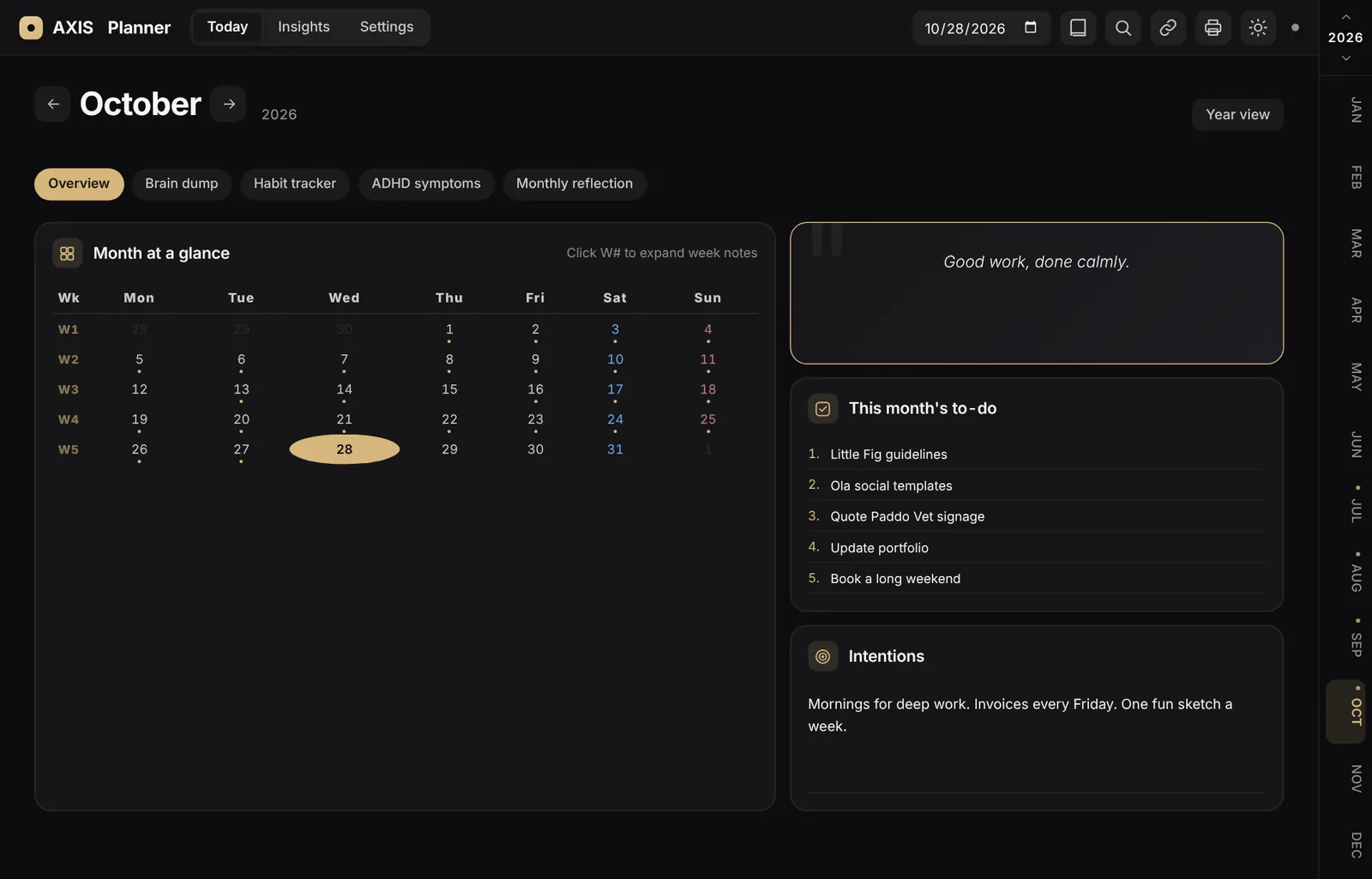
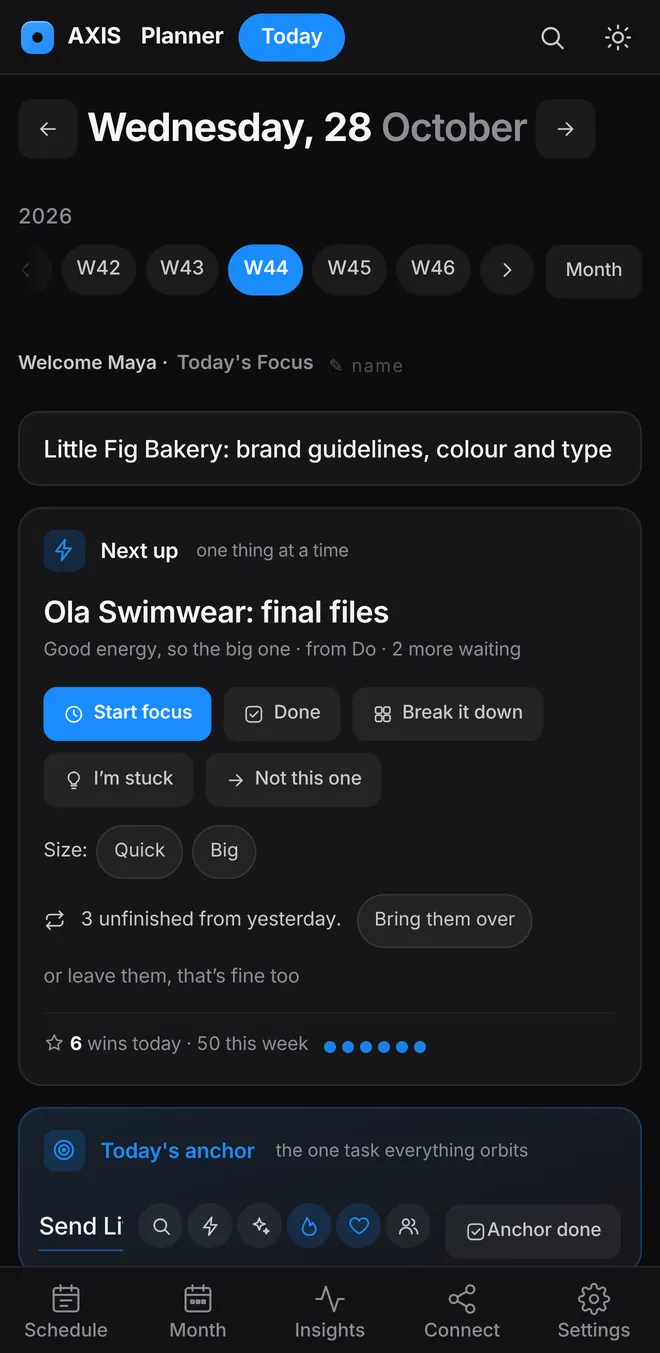
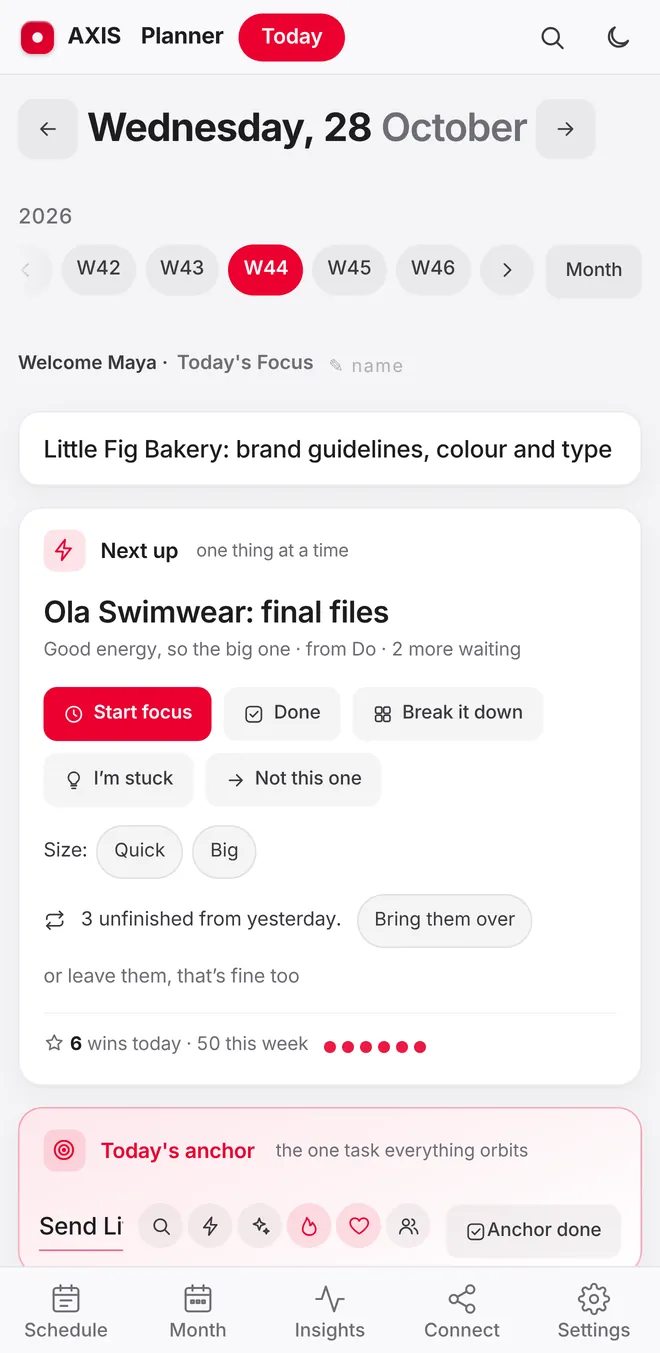
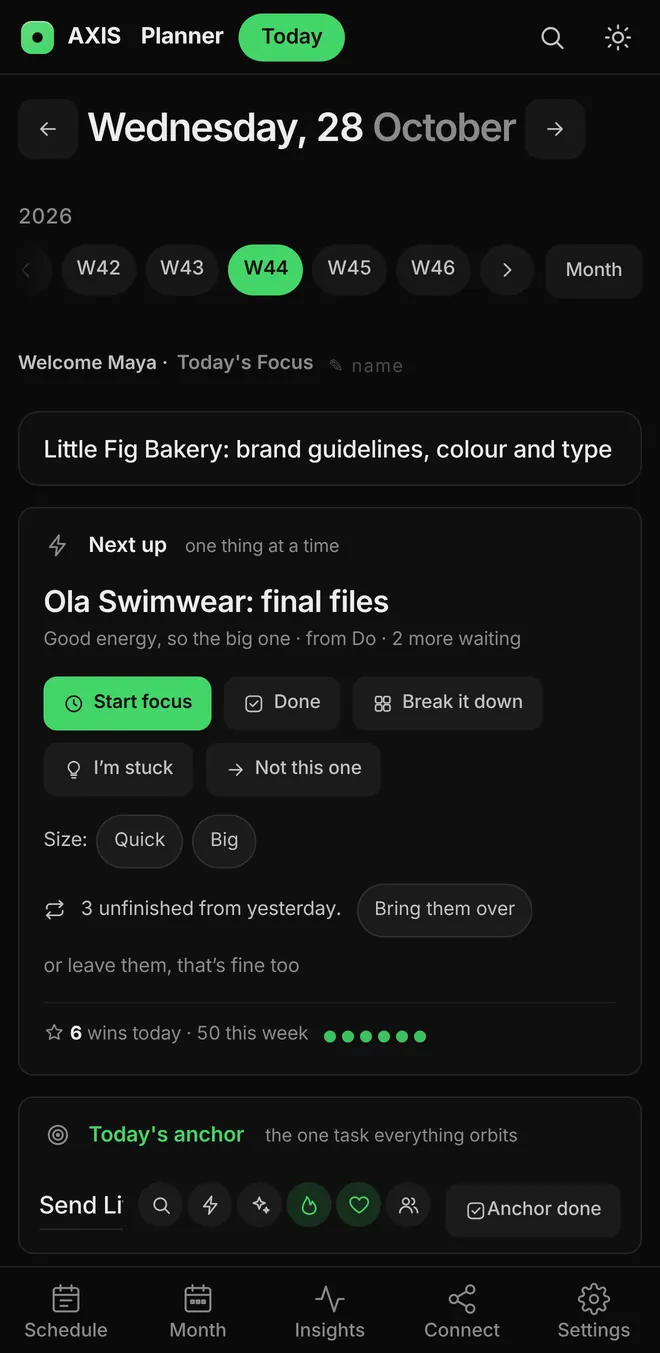
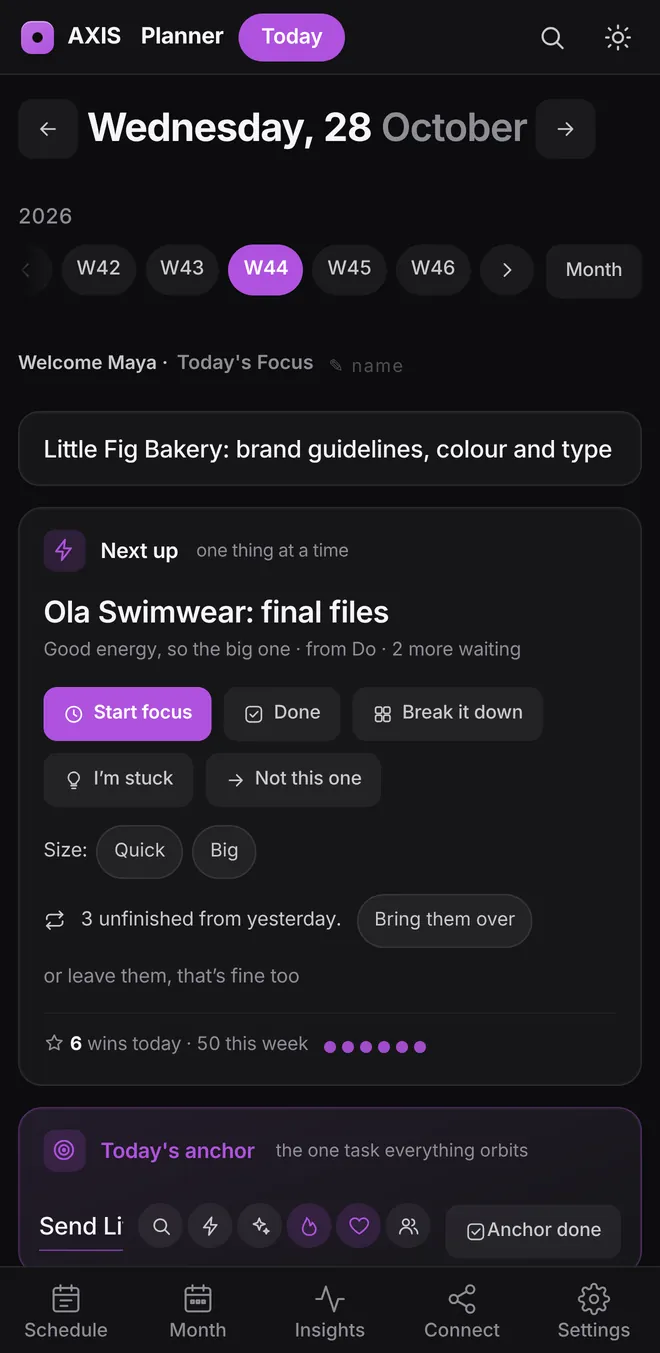
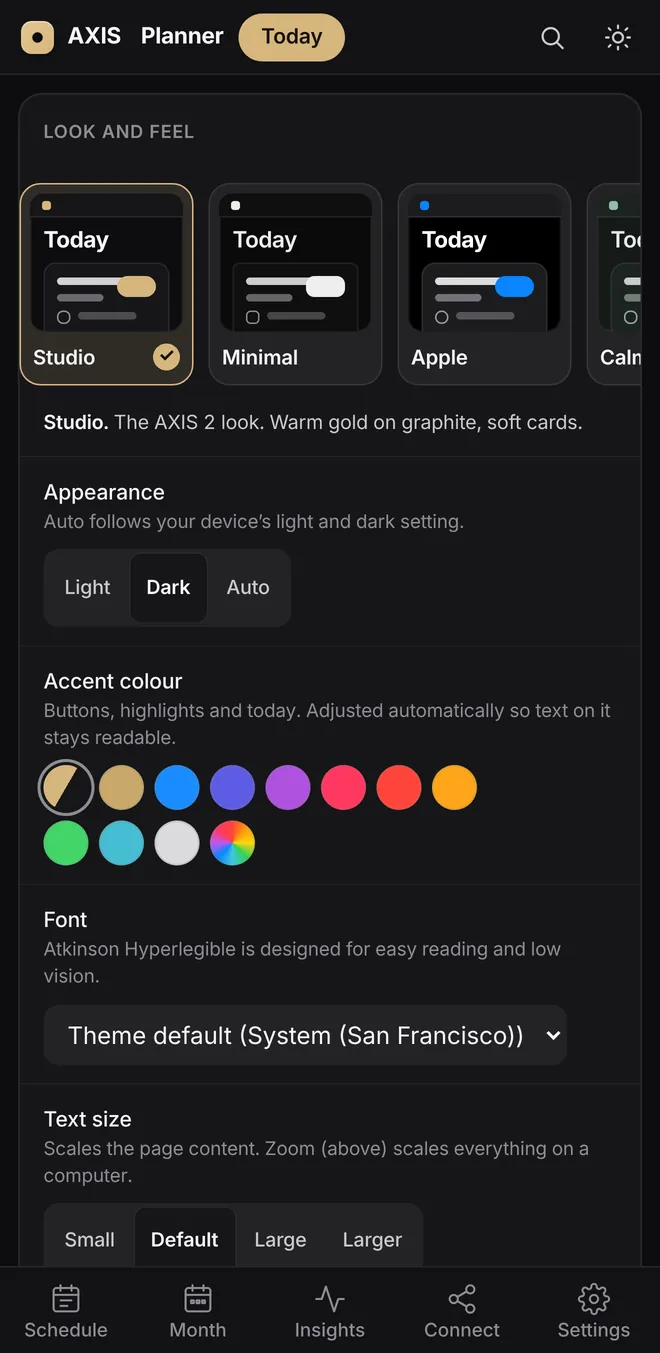
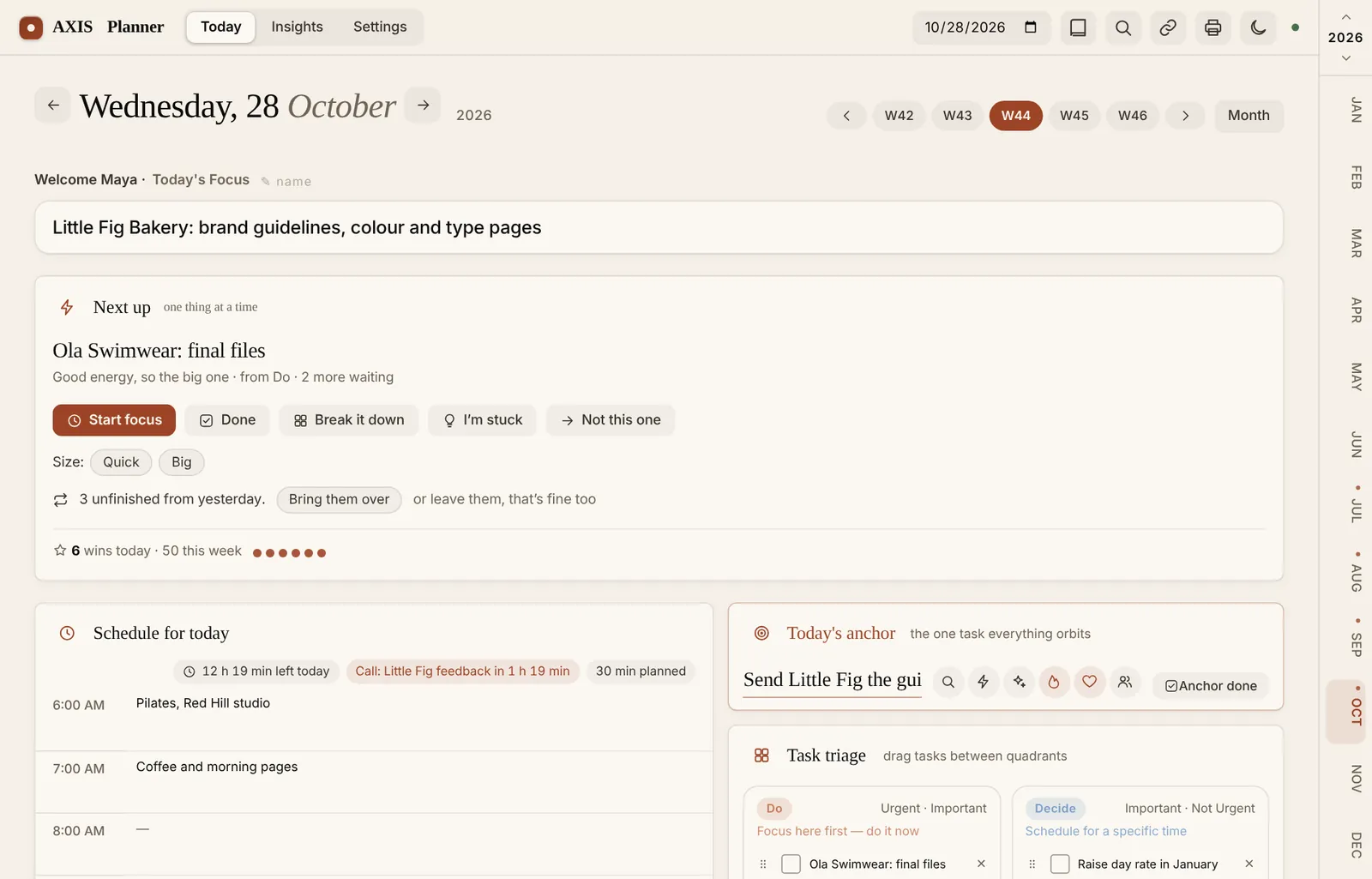
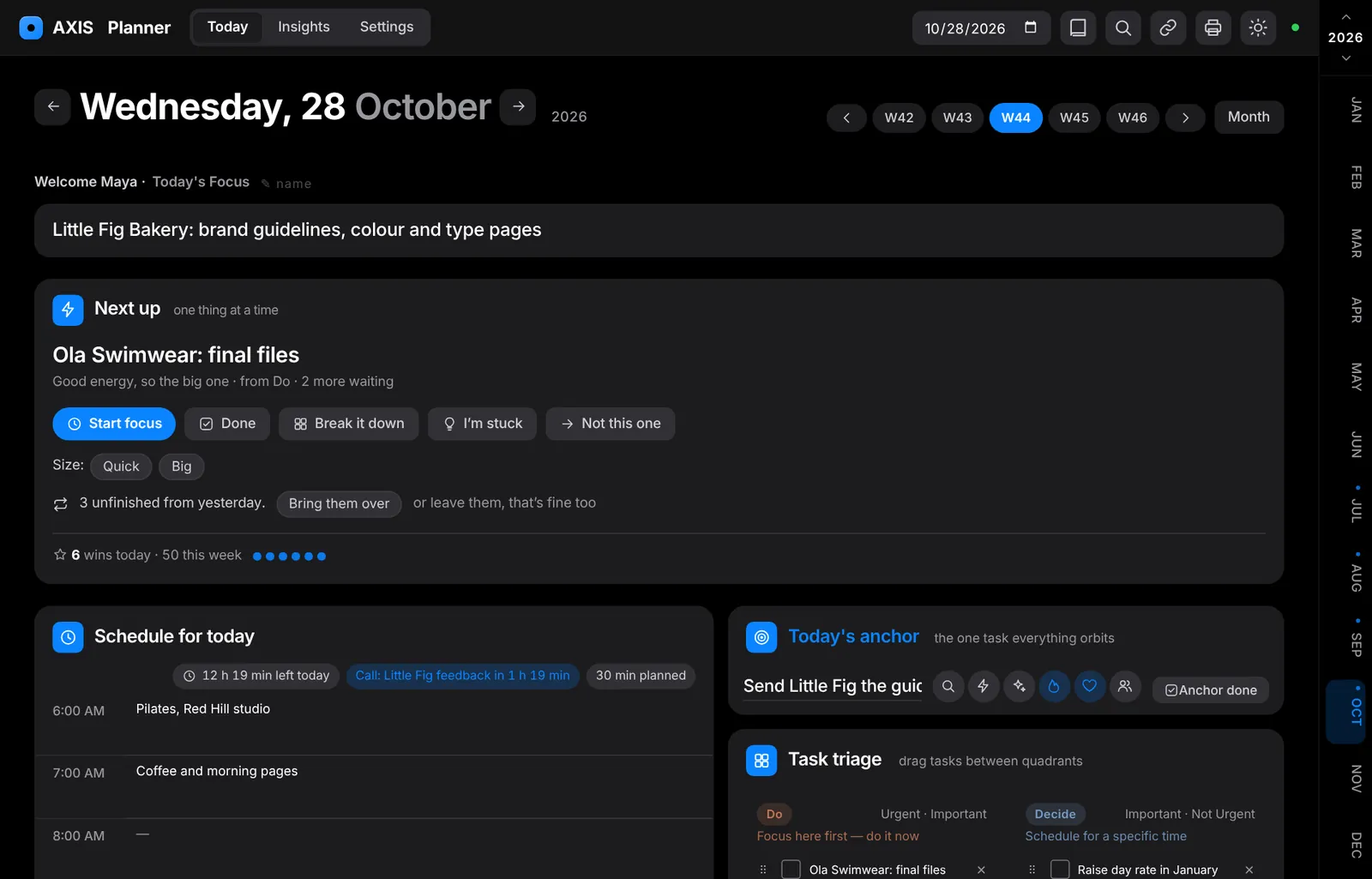
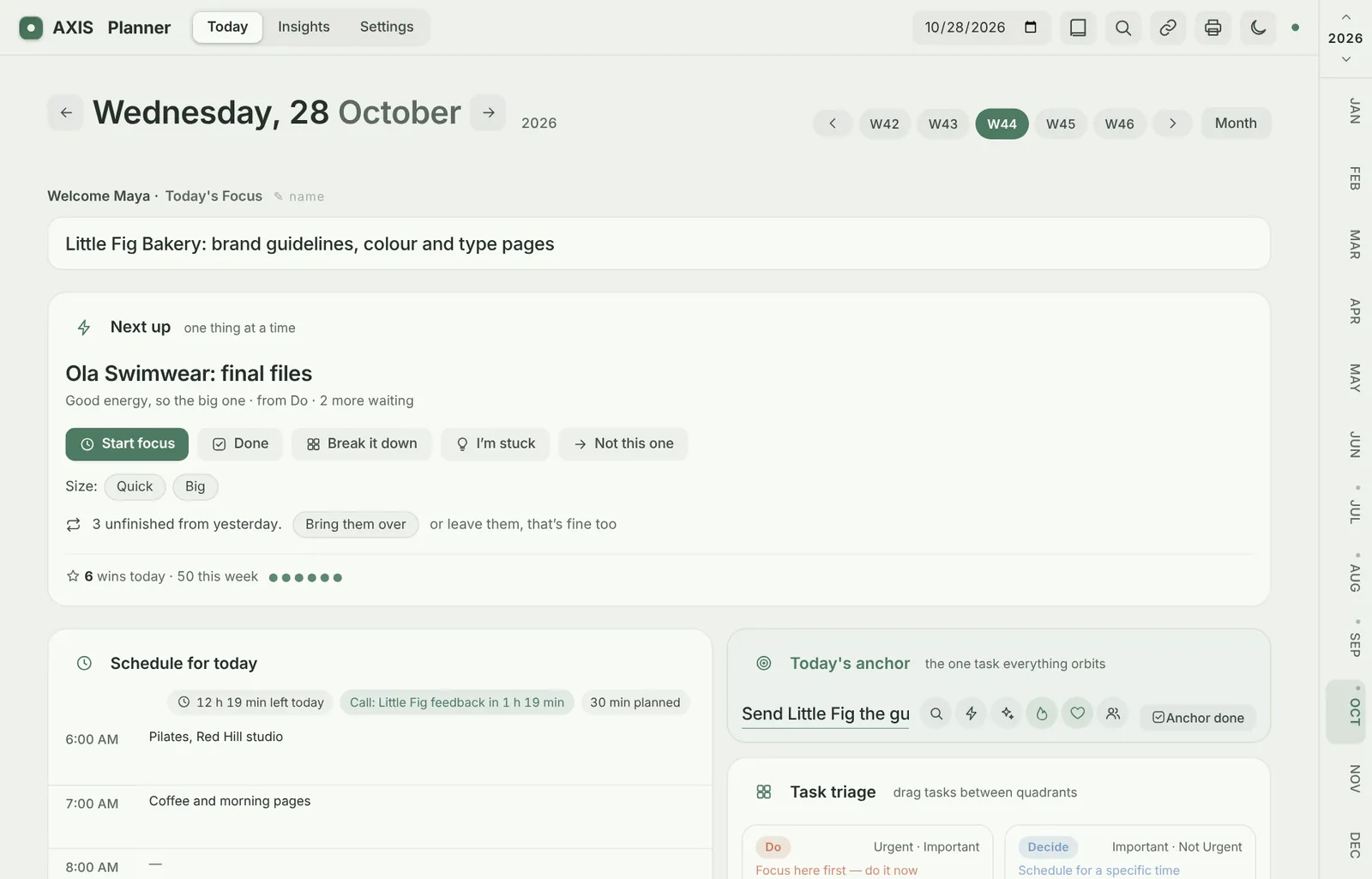
Studio, Minimal, Apple, Calm and Paper, each in light or dark (or following your device). Then pick an accent colour, a font, text size, density, corners, contrast and motion.

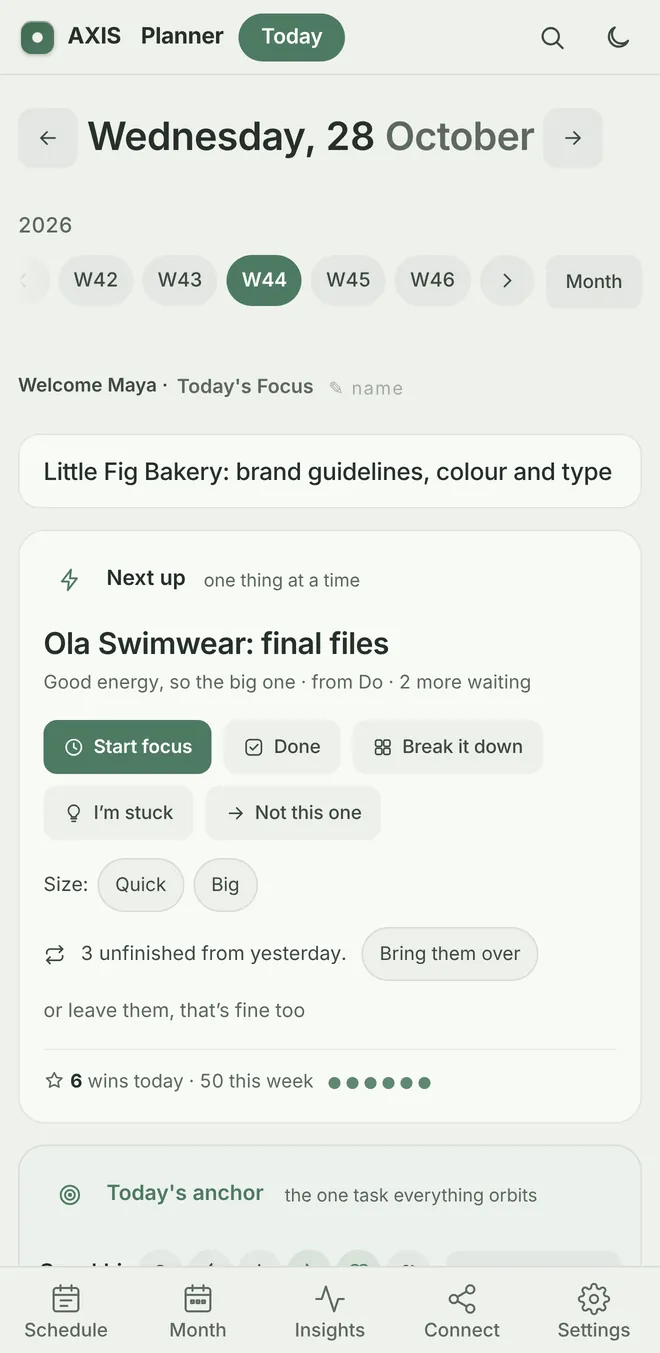
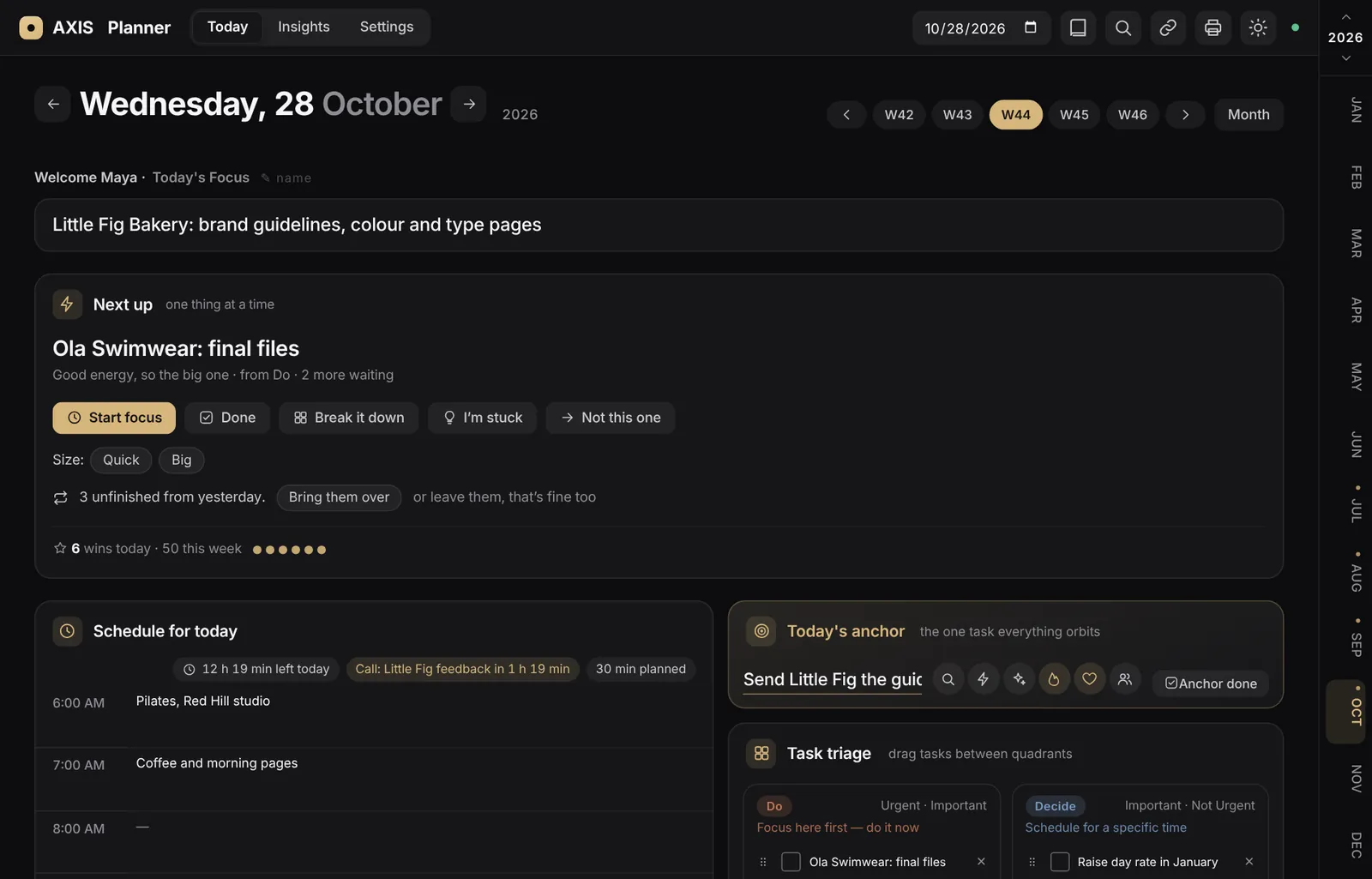
AXIS Planner in the studio look, dark
Studio · Dark
AXIS Planner in the minimal look, light
Minimal · Light
AXIS Planner in the apple look, light
Apple · Light
AXIS Planner in the apple look, dark
Apple · Dark
AXIS Planner in the calm look, light
Calm · Light
AXIS Planner in the paper look, light
Paper · Light
AXIS Planner in the paper look, dark
Paper · Dark
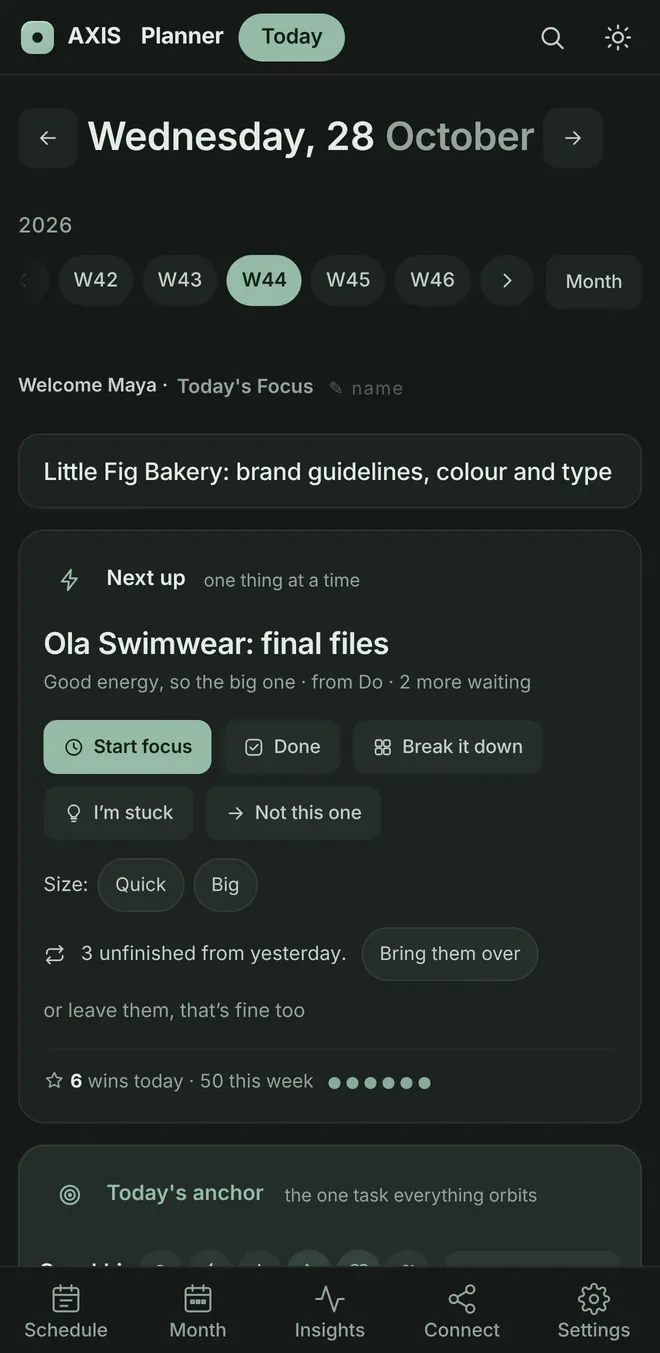
AXIS Planner in the calm look, dark
Calm · Dark
AXIS Planner in the studio look, blue
Studio · Blue
AXIS Planner in the studio look, pink, light
Studio · Pink, light
AXIS Planner in the minimal look, green
Minimal · Green
AXIS Planner in the studio look, purple
Studio · Purple
Settings, Look and feel: five looks, light or dark, accent colours, fonts and text size
Settings › Look and feel

Swipe to see them all

AXIS Planner in the Paper look: cream, ink and serif headings
Paper · Light
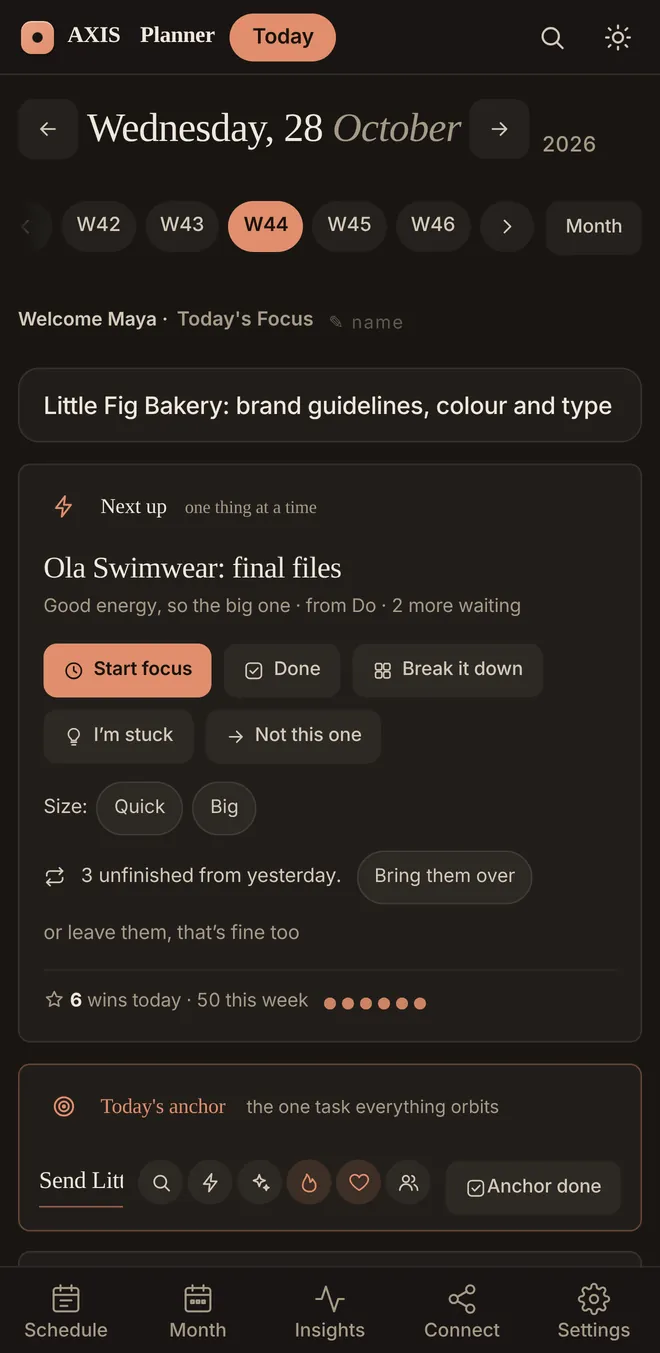
AXIS Planner in the Apple look, dark, with blue accents
Apple · Dark
AXIS Planner in the Calm look: muted sage and gentle contrast
Calm · Light
AXIS Planner in the Minimal look: black, white and hairlines
Minimal · Light
New · AXIS Anchor 1.0

Some days, less is more.

AXIS Anchor is the calmer AXIS: one anchor for the day, broken into small steps, one task at a time, and a ring that shows how much of the day is left. For the days when a full planner feels like a wall.

  • Your anchor with its steps, and last night's "start with"
  • Next up with Not now, I'm stuck and Step done
  • Two-minute morning and evening routines
  • Brings in your AXIS Planner backup
AXIS Anchor on a phone: hours left in the day and today's anchor with its steps
Anchor: today
AXIS Anchor focus: a disc timer that shrinks as time runs out
Anchor: focus
Planner or Anchor?

Different days need different tools.

AXIS PlannerAXIS Anchor
Best forSeeing everything: habits, symptoms, monthsHard or busy days: one thing at a time
Anchor, Next up, I'm stuck, focus timer✓✓
Task triage, brain dump, AI helper✓✓
ADHD symptom tracker, habits, meals, monthly reviews✓ in depthLight check-in
Five looks, customisable day page✓Accents, Calm mode
Sync with your own cloud, calendar reminders✓✓
One-time priceAU$59AU$39
Simple · Honest · One-time

Pay once. Keep it.

Pick the one that fits your brain, or get both. No subscription, no account. Your licence key is emailed straight away and works on your devices.

AXIS Planner 2.0
The whole picture: every day, habit and pattern in one place
AU$59
One-time · Lifetime licence · All devices
  • Next up, today's anchor, I'm stuck
  • Task triage and focus timer
  • Habit tracker and ADHD symptom tracker
  • Fuel log, journal, monthly reflection
  • Insights and a clinician report
  • Five looks, a day page you customise
  • Sync with your own cloud, calendar reminders
  • Excel export, backups, printable pages
  • Optional AI helper with your own AI
Get AXIS Planner, AU$59

Own AXIS Planner 1.0? Your key opens 2.0 at no cost.

AXIS Anchor 1.0
One anchor, one task at a time, time you can see
AU$39
One-time · Lifetime licence · All devices
  • One anchor a day, in small steps
  • Next up, Not now, I'm stuck
  • Focus disc that learns your estimates
  • Two-minute morning and evening routines
  • Patterns and a summary for your doctor
  • Sync with your own cloud, calendar reminders
  • Optional AI helper with your own AI
Get AXIS Anchor, AU$39

See AXIS Anchor in full

Pay withCardApple PayGoogle PayLinkEtsy ↗

Bought on Etsy? Claim your key at axis.alexandara.com.au/etsy.

Your data

Your planner stays yours.

On your device

Everything you enter is saved on your device. No account, and it works offline. We never see your planner.

In your own cloud, if you choose

Sync goes into a private AXIS folder in your own Google Drive, OneDrive or Dropbox, straight from your device. Add a passphrase and even your cloud only sees scrambled data.
We keep only your key

Your email, licence key and purchase record, so we can send and check your licence. Reminders go to your own calendar; the AI helper uses an AI you choose.

Questions answered

Before you decide.

Yes. AXIS Planner is AU$59 once, AXIS Anchor AU$39, or both for AU$79. No monthly fee, no renewal, no premium tier. Updates are included.
AXIS Planner suits you if you like seeing everything: habits, symptoms, meals, months and insights in one place, with Next up and your anchor at the top. AXIS Anchor suits you if a full page feels like too much: it shows one anchor and one task at a time. Many people use Planner on calm days and Anchor on hard ones, which is what the bundle is for.
Your key opens AXIS Planner 2.0 at the same address, at no cost, and your planner carries over. Everything you had is still there; the day page now starts simple, and Customise or Show everything brings back every card. AXIS Anchor is a separate app with its own key.
Your licence key is emailed straight away. Open axis.alexandara.com.au/axis_planner.html, enter the key and your email, and you're in. On iPhone, open it in Safari, tap Share, then Add to Home Screen. On Android, use Chrome's Install app.
Yes. AXIS Planner runs in any modern browser on iPhone, iPad, Android, Windows, Mac and Chromebook, upright or sideways, in light or dark. Turn on sync with your own cloud and your devices stay in step.
Phones can clear website data, especially Safari after a week without a visit. Installing AXIS to your Home Screen protects it, and sync with your own Google Drive, OneDrive or Dropbox protects it completely: connect again and everything comes back. You can also download a backup any time.
No. It's off until you turn it on, and everything else works without it. If you use it, it runs on the AI built into Chrome, your own AI account, or by copy and paste with any AI app. AXIS has no AI of its own and never sees your words. Every suggestion is checked against what you wrote, and you choose what to add.
No. It's a planner. The symptom tracker, insights and clinician report are there to help you talk with your own GP, psychiatrist or psychologist; they don't diagnose or treat anything.
Email support@alexandara.com.au from your purchase email and we'll send it again.
One-time · AU$59 · Yours to keep

See the whole day.
Start the next thing.

Pick your anchor, let Next up choose the first task, and keep the rest of your life in one calm place.

Get AXIS Planner →
✓ No subscription✓ Works offline✓ Your data, your cloud✓ Key emailed instantly